


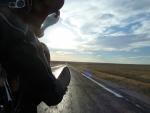
beautiful ride


Road Warrior


Joined: Jan 2009
Posts: 1,973
Likes: 9
From: Colorado Springs CO

Two options.
Option 1.
1. Download them to your computer.
2. Put them in a folder that you will remember so you can grab them to post on the forum.
3. Scroll to the to the "Additional Options" part of the new reply or new thread.
3. Click on "manage attachments". A separate window will open. (note the file size restrictions)
4. In that new window click "Choose File" from the "upload file from computer" section.
5. Select your folder that you previously saved the pic.
6. Click the "upload pic" button.
7. Close window.
This will attach a thumbnail pic. Be aware that the file size needs to be correct for the type of pic. If you need help resizing I can help with that if I know what software you have ie "I have a mac with ..." or I have a windows pc with..."
Option 2.
1. Open an account with one of the many photo sites ie Picasa, flicker, photobucket.
2. I use Picasa but all of them will have the ability to "share the link".
3. Copy the "link" from your photo sharing site.
4. Click the "insert link" (see pic below)
5. A new window will pop up allowing you to paste your shared link.
This should be enough to get you dangerous. Try the Testing area of the section HERE
Also read the forums picture posting thread HERE for more help..
Good luck and I hope to see some pics!
Option 1.
1. Download them to your computer.
2. Put them in a folder that you will remember so you can grab them to post on the forum.
3. Scroll to the to the "Additional Options" part of the new reply or new thread.
3. Click on "manage attachments". A separate window will open. (note the file size restrictions)
4. In that new window click "Choose File" from the "upload file from computer" section.
5. Select your folder that you previously saved the pic.
6. Click the "upload pic" button.
7. Close window.
This will attach a thumbnail pic. Be aware that the file size needs to be correct for the type of pic. If you need help resizing I can help with that if I know what software you have ie "I have a mac with ..." or I have a windows pc with..."
Option 2.
1. Open an account with one of the many photo sites ie Picasa, flicker, photobucket.
2. I use Picasa but all of them will have the ability to "share the link".
3. Copy the "link" from your photo sharing site.
4. Click the "insert link" (see pic below)
5. A new window will pop up allowing you to paste your shared link.
This should be enough to get you dangerous. Try the Testing area of the section HERE
Also read the forums picture posting thread HERE for more help..
Good luck and I hope to see some pics!

Tourer

Joined: Jan 2007
Posts: 268
Likes: 17
From: Albertville, AL
I have ridden that area twice and what a great rode trip. Here is a link that might help:
http://www.talimenascenicdrive.com/
http://www.talimenascenicdrive.com/

Thread
Thread Starter
Forum
Replies
Last Post