


spot switch light on when off?


Thread Starter
|
Tourer
Joined: Mar 2011
Posts: 336
Likes: 0
From: SC
 spot switch light on when off?
I asked the question in the install thread but....it's a dead topic.
I just installed the auxiliary/passing light kit on a 2011 Street Glide. I followed the tips and instruction with the kit and the responses here. HD supplied instructions had color code issues, but everything seems to be working fine except for the light on the "spot switch". It seems backward. I turn the passing lights on the light on the switch goes out and comes on when the lights are turned off. This to help find the switch in the dark?
All I did was connect the yellow wire from this switch to org/red wire on the ACC switch.
I just installed the auxiliary/passing light kit on a 2011 Street Glide. I followed the tips and instruction with the kit and the responses here. HD supplied instructions had color code issues, but everything seems to be working fine except for the light on the "spot switch". It seems backward. I turn the passing lights on the light on the switch goes out and comes on when the lights are turned off.
This to help find the switch in the dark?All I did was connect the yellow wire from this switch to org/red wire on the ACC switch.



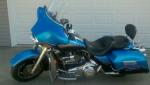
This is from HD instructions for street glide add on auxiliary lights. Hope this helps. Not sure if this is for the 2011 but I don't think it would of changed. Some one may chime in and let you know. (By the way I am in Summerville SC.)
Auxiliary Switch Connection
1. See Figure 5. With the fairing cap (inner) positioned close
to the motorcycle, find the yellow (5), gray (6), and black
(4) auxiliary switch wires.
NOTE
The fairing cap switch connector [105], 12-place Multilock
(black) has numbers stamped into the secondary lock of the
socket housing.
2. See Figure 6. Position the fairing cap switch connector
[105], 12-place Multilock (black) (1) as shown. Find the
auxiliary switch black (GRN) wire and insert pin terminal
into position 8 (4). Find gray wire and insert pin terminal
into position 7 (3). Find yellow wire and insert pin terminal
into position 6 (2).
-3. See Figure 5. Bend up the flexible clamp (11) and place
the auxiliary switch wires under flexible clamp and press
clamp down onto wires. From the kit find three new wire
ties (10) and secure accessory and auxiliary switch wires
together as shown.
4. Verify that rubber grommets (12) are installed on each
side of fairing cap (1). Barbs on cap fit into holes in grommets.
5. Connect the fairing cap switch connector [105], 12-place
Multilock (black) on the right side of fairing cap.
6. With the front forks turned to the left fork stop, install fairing
cap over ignition switch housing. Verify that grommets in
fairing cap fully capture handlebar along with throttle and
clutch cables.
7. Start two T27 TORX screws (with flat washers) to fasten
fairing cap to left and right sides of inner fairing. Alternately
tighten screws to 25-30 in-lbs (2.8-3.4 Nm).
8. Refer to the appropriate Service Manual and assemble
ignition switch.
9. Install switch decal on switch.
Auxiliary Switch Connection
1. See Figure 5. With the fairing cap (inner) positioned close
to the motorcycle, find the yellow (5), gray (6), and black
(4) auxiliary switch wires.
NOTE
The fairing cap switch connector [105], 12-place Multilock
(black) has numbers stamped into the secondary lock of the
socket housing.
2. See Figure 6. Position the fairing cap switch connector
[105], 12-place Multilock (black) (1) as shown. Find the
auxiliary switch black (GRN) wire and insert pin terminal
into position 8 (4). Find gray wire and insert pin terminal
into position 7 (3). Find yellow wire and insert pin terminal
into position 6 (2).
-3. See Figure 5. Bend up the flexible clamp (11) and place
the auxiliary switch wires under flexible clamp and press
clamp down onto wires. From the kit find three new wire
ties (10) and secure accessory and auxiliary switch wires
together as shown.
4. Verify that rubber grommets (12) are installed on each
side of fairing cap (1). Barbs on cap fit into holes in grommets.
5. Connect the fairing cap switch connector [105], 12-place
Multilock (black) on the right side of fairing cap.
6. With the front forks turned to the left fork stop, install fairing
cap over ignition switch housing. Verify that grommets in
fairing cap fully capture handlebar along with throttle and
clutch cables.
7. Start two T27 TORX screws (with flat washers) to fasten
fairing cap to left and right sides of inner fairing. Alternately
tighten screws to 25-30 in-lbs (2.8-3.4 Nm).
8. Refer to the appropriate Service Manual and assemble
ignition switch.
9. Install switch decal on switch.
Thread Starter
|
Tourer
Joined: Mar 2011
Posts: 336
Likes: 0
From: SC
Yeah I was very careful to get the right wire locations in the 12 position connector....minus the yellow to org/red to avoid the hi-low beam debocle, but I also noticed that the 4 position connectors in the front fairing didn't match the directions either. I read some where instruction didn't kept up with later model changes in wiring.
Well...there are only three wires on the switch so it might be easy enough...but it is all bundled up and I'm not sure I feel like pulling the ignition panel off again.
I just wondered if anyone else had encountered the same issue
Well...there are only three wires on the switch so it might be easy enough...but it is all bundled up and I'm not sure I feel like pulling the ignition panel off again.
I just wondered if anyone else had encountered the same issue


Thread
Thread Starter
Forum
Replies
Last Post