



Software update

Thread Starter
|
Cruiser
Joined: Apr 2022
Posts: 145
Likes: 32
From: Tucson
 Software update
I finally got the GTS software update installed, and then when I went to wireless headset settings, the "configure" box was gone! Only the "forget" box on left there. Status said "idle". Any ideas?
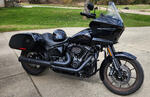
BTW tired of seeing my bike pic look like a rocket. 5 4 3 2 ..How do you straighten it?
BTW tired of seeing my bike pic look like a rocket. 5 4 3 2 ..How do you straighten it?
Cruiser


Joined: Jun 2014
Posts: 161
Likes: 32
From: Texas, USA
After your update, did you have your headset on and in range?
My setup...I have a HD headset and WHIM with my system flashed for it. Occasionally, I can get into "Manage Rider" when the headset is off. Sometimes "Manage Rider" is greyed out when the headset is off. Sometimes it's not. The only time my only option is "Forget" is if the headset is turned off. When I turn on the headset, "configure" appears.
I haven't seen that idle status before.
Try deleting and uploading the pic again?
My setup...I have a HD headset and WHIM with my system flashed for it. Occasionally, I can get into "Manage Rider" when the headset is off. Sometimes "Manage Rider" is greyed out when the headset is off. Sometimes it's not. The only time my only option is "Forget" is if the headset is turned off. When I turn on the headset, "configure" appears.
I haven't seen that idle status before.
Try deleting and uploading the pic again?
Thread Starter
|
Cruiser
Joined: Apr 2022
Posts: 145
Likes: 32
From: Tucson
After your update, did you have your headset on and in range?
My setup...I have a HD headset and WHIM with my system flashed for it. Occasionally, I can get into "Manage Rider" when the headset is off. Sometimes "Manage Rider" is greyed out when the headset is off. Sometimes it's not. The only time my only option is "Forget" is if the headset is turned off. When I turn on the headset, "configure" appears.
I haven't seen that idle status before.
Try deleting and uploading the pic again?
My setup...I have a HD headset and WHIM with my system flashed for it. Occasionally, I can get into "Manage Rider" when the headset is off. Sometimes "Manage Rider" is greyed out when the headset is off. Sometimes it's not. The only time my only option is "Forget" is if the headset is turned off. When I turn on the headset, "configure" appears.
I haven't seen that idle status before.
Try deleting and uploading the pic again?
Will try deleting uploading pic, but don't think it will work.

Club Member
Joined: Sep 2012
Posts: 4,982
Likes: 1,587
From: Philadelphia, PA

If the picture is the same way on your device r/r will not work. You have to change the orientation prior to uploading. If it’s on your phone you should be able to edit it there to change the orientation.
Thread Starter
|
Cruiser
Joined: Apr 2022
Posts: 145
Likes: 32
From: Tucson
Edit. I just found a way to rotate pic so I did and saved. When I uploaded the rotated pic, it showed it the same way! Ha!!
Last edited by Maurice1; Apr 16, 2022 at 08:39 AM.
Grand HDF Member

Joined: Sep 2013
Posts: 3,820
Likes: 589
From: Michigan
I finally got the GTS software update installed, and then when I went to wireless headset settings, the "configure" box was gone! Only the "forget" box on left there. Status said "idle". Any ideas?
BTW tired of seeing my bike pic look like a rocket. 5 4 3 2 ..How do you straighten it?
BTW tired of seeing my bike pic look like a rocket. 5 4 3 2 ..How do you straighten it?

Trending Topics
Thread Starter
|
Cruiser
Joined: Apr 2022
Posts: 145
Likes: 32
From: Tucson
Looks like a fine bike!
Don't know how. How?
Don't know how. How?
HD Forum Stories
The Best of Harley-Davidson for Lifelong Riders

Jason Momoa Is Turning Classic Harleys Into PHEVs
Verdad Gallardo
Harley-Davidson Fat Boy Becomes a Dark, Decepticon-Inspired Custom
Verdad Gallardo
6 Weirdest Harley-Davidsons Ever Sold to the Public
Verdad Gallardo
7 Times Harley-Davidson Chucked Tradition Out the Window
Verdad Gallardo
7 Surprising Harley-Davidson Products that Are Not Motorcycles
Verdad Gallardo
8 Best Harley-Davidson Motorcycles Ever
Pouria Savadkouei
10 Worst Harley-Davidson Motorcycles Ever
Pouria Savadkouei
Killer Custom's Jail Break Is The Breakout That Refused to Blend In
Verdad Gallardo
Crazy Bunderbike Build Looks Amazing, But Is It Impossible to Ride?
Verdad Gallardo

Grand HDF Member
Joined: Sep 2013
Posts: 3,820
Likes: 589
From: Michigan
Right click on your bike photo I posted & then save it to your computer.
Then go to the User CP page. Under the Your Profile section, select Edit Profile Picture. Select Delete Current Image box. Use Option 2, Find & select the saved picture on your computer. Click Save Changes.
Then go to the User CP page. Under the Your Profile section, select Edit Profile Picture. Select Delete Current Image box. Use Option 2, Find & select the saved picture on your computer. Click Save Changes.