


GPS Map locked up


Thread Starter
|
Cruiser


Joined: May 2006
Posts: 138
Likes: 4
From: Branson, Mo.
 GPS Map locked up
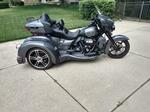
Out riding my 2014 Tri-Glide yesterday and noticed that my map had quit moving. When I got home I shut the bike off and restarted it, and the map had re positioned itself to my home but still wouldn't move when the bike was moving. I did a complete reset of the Boombox and it still does not do anything except display the map wherever it was booted up at. You can not zoom in or out and no POIs will display when I select POI. I do have an extended warranty in effect that should cover it, but was wondering if anyone else had any ideas. I hate to have to leave my bike at the dealers and miss this great riding weather.

Cruiser
Joined: Aug 2014
Posts: 169
Likes: 30
From: Gulf Harbors/Woodlands, FL

If you know what version you have installed, or it's an older version, I found that you have two options.
1. unpair your phone or any other bluetooth device with the boombox and re-pair, that will fix the GPS hangup.
2. Install the latest version of the Boom Audio firmware from the H-D site.
I have run into this problem before and first time I reinstalled, then I noticed I had a bad cable from the fairing phone holder to the phone and the jostling of the bike would cause the phone to switch to bluetooth and then GPS would lock up. By un-pairing bluetooth, I could see my phone was disconnecting from the cable in the "jukebox" holder.
1. unpair your phone or any other bluetooth device with the boombox and re-pair, that will fix the GPS hangup.
2. Install the latest version of the Boom Audio firmware from the H-D site.
I have run into this problem before and first time I reinstalled, then I noticed I had a bad cable from the fairing phone holder to the phone and the jostling of the bike would cause the phone to switch to bluetooth and then GPS would lock up. By un-pairing bluetooth, I could see my phone was disconnecting from the cable in the "jukebox" holder.
Thread Starter
|
Cruiser
Joined: May 2006
Posts: 138
Likes: 4
From: Branson, Mo.
If you know what version you have installed, or it's an older version, I found that you have two options.
1. unpair your phone or any other bluetooth device with the boombox and re-pair, that will fix the GPS hangup.
2. Install the latest version of the Boom Audio firmware from the H-D site.
I have run into this problem before and first time I reinstalled, then I noticed I had a bad cable from the fairing phone holder to the phone and the jostling of the bike would cause the phone to switch to bluetooth and then GPS would lock up. By un-pairing bluetooth, I could see my phone was disconnecting from the cable in the "jukebox" holder.
1. unpair your phone or any other bluetooth device with the boombox and re-pair, that will fix the GPS hangup.
2. Install the latest version of the Boom Audio firmware from the H-D site.
I have run into this problem before and first time I reinstalled, then I noticed I had a bad cable from the fairing phone holder to the phone and the jostling of the bike would cause the phone to switch to bluetooth and then GPS would lock up. By un-pairing bluetooth, I could see my phone was disconnecting from the cable in the "jukebox" holder.
Thread Starter
|
Cruiser
Joined: May 2006
Posts: 138
Likes: 4
From: Branson, Mo.
Okay, I just found my problem. I had just added the Vance and Hines FP3 a couple of days ago, so I thought why not try unplugging it from the bike and see what happens. Sure enough without the FP3 hooked up the GPS map started working again. Guess I'll have to call V&H to see if they have any ideas.


Thread
Thread Starter
Forum
Replies
Last Post
strtarrow
Touring Models
12
May 29, 2011 04:02 AM









