When you click on links to various merchants on this site and make a purchase, this can result in this site earning a commission. Affiliate programs and affiliations include, but are not limited to, the eBay Partner Network.
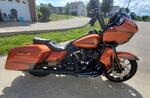
Anyone having any issues with AA connecting? Haven't been riding much the last couple months. But I rode a couple weeks ago around town. Couldn't get AA to connect. Just kept saying reading index or something like that.
Then got out today as well. I did get AA to connect briefly, but none of my music apps were on my HU home screen. I manually started my music player, but once the song finished, since I didn't have a way to control the music app, it just stopped. No progressing to next song....I think it was the last song in that album. Got to my destination and checked my app settings. I still saw my music app in the list of home screen apps for AA, so it SHOULD be showing on the radio.
Got back on the bike from there and couldn't get AA to connect at all. I was only going about a mile to the gym so switched over to Bluetooth.
When I left the gym...same thing. Would not connect. Would finally and briefly say there was an error and I should reconnect my USB cable. My buddy said maybe AA needed to be updated, but when I check the play store, AA said it was up to date.
Maybe this weekend, I'll take the faring off and check my usb cable for any loose connections. Otherwise, not sure what's going on. Might check if the radio needs to be updated as well.
Did you try rebooting your phone? I don't have AA on my bike, but I do have it in my car and it sometimes does similar things. A few of the things I've done to get it to work. These are "or" items, not "and" items...
Reboot phone
Force stop AA on the phone (under settings, apps)
Launch Google Maps or Waze before connecting the phone via USB. Not sure why this one seems to work, but most of the time it does. Then I can listen to music.
I had the same problem a few months ago in my car and bike due to an update on Android auto. Go into to your phone's settings and go to apps. Go to the Android auto app and click on it. Make sure you do this through the settings menu. On the top right corner click on the three dots and it should have uninstall updates. Uninstall the updates and then let it reinstall when prompted. Everything worked perfectly on my bike and car after that.
I had the same problem a few months ago in my car and bike due to an update on Android auto. Go into to your phone's settings and go to apps. Go to the Android auto app and click on it. Make sure you do this through the settings menu. On the top right corner click on the three dots and it should have uninstall updates. Uninstall the updates and then let it reinstall when prompted. Everything worked perfectly on my bike and car after that.
This seemed to have worked. Thanks! Hopefully it'll stay this way. lol
This seemed to have worked. Thanks! Hopefully it'll stay this way. lol
It should. After 2 months a total aggravation in my Audi I was so frustrated. I finally picked up on this and after the uninstall and reinstall everything is perfection now and it has been about 6 weeks since I did it. Android auto connects every time I plug it in and everything works including voice commands. I couldn't be happier and I'm glad to help.
It should. After 2 months a total aggravation in my Audi I was so frustrated. I finally picked up on this and after the uninstall and reinstall everything is perfection now and it has been about 6 weeks since I did it. Android auto connects every time I plug it in and everything works including voice commands. I couldn't be happier and I'm glad to help.
Well mine worked and connected flawlessly for months lol. Since i got this bike in June until this year at least. Thanks again!
Well mine worked and connected flawlessly for months lol. Since i got this bike in June until this year at least. Thanks again!
There were some Android auto updates at the beginning of December that really messed a lot of the software up. I believe some of it had to do with going from Android 10 to Android 11 the first week of December. That's when my crap started happening. There was a another update done in January that did not fix the problem. I tried uninstalling and then reinstalling Android auto on my phone a dozen times and that didn't work. I reset my car back to factory two or three or four times and that didn't work. I went to Audi and bought a special USB cord for $75 pe their recommendation and that didn't work so I returned it. Finally I stumbled on a Blog about doing what I told you and it cured everything.
There were some Android auto updates at the beginning of December that really messed a lot of the software up. I believe some of it had to do with going from Android 10 to Android 11 the first week of December. That's when my crap started happening. There was a another update done in January that did not fix the problem. I tried uninstalling and then reinstalling Android auto on my phone a dozen times and that didn't work. I reset my car back to factory two or three or four times and that didn't work. I went to Audi and bought a special USB cord for $75 pe their recommendation and that didn't work so I returned it. Finally I stumbled on a Blog about doing what I told you and it cured everything.
Ahh. Well thanks for doing the leg work for the rest of us. haha
Come to think of it..its been that long...since before Christmas since I've ridden the bike. So yeah probably did start then.
My issue I have is when I first start my 2020 and plug in my S8 AA will boot up. Works perfectly fine. Does not disconnect but if I unplug my phone and then plug it back in AA does not reload. Also if I exit out of AA to go to another feature in the radio, there is no way to get back to AA. Again, try to unplug the phone and plug it back in wont do it. The only solution is to shut the bike down completely turning off the ignition switch, un plug the phone, and wait a couple minutes for the bike to completely shut down then start from scratch again. Anyone have and solutions?
Uninstall the latest update though settings, apps, and Android auto. Click on the three dots on the right top corner and when uninstall latest update comes up uninstall it. Then let it reinstall the auto update. It will correct the problem
Slideshow: Jason Momoa's latest restoration project blends 1920s Harley-Davidsons with modern electric technology, creating some of the most unusual hybrid motorcycles ever built.
Harley-Davidson Fat Boy Becomes a Dark, Decepticon-Inspired Custom
Slideshow: Killer Custom's latest build relies on styling changes rather than performance upgrades, giving the cruiser an entirely different personality.
7 Surprising Harley-Davidson Products that Are Not Motorcycles
Slideshow: The bar-and-shield logo shows up on far more than motorcycles, some of the company's most unexpected products have nothing to do with riding.
Slideshow: From the troubled AMF years to modern misfires, these bikes earned reputations for reliability issues, questionable engineering, or disappointing performance.
Crazy Bunderbike Build Looks Amazing, But Is It Impossible to Ride?
Slideshow: The Swiss custom shop has taken a Harley Softail and stretched it into something so long and low that it looks closer to a rolling sculpture than a conventional motorcycle.






 Android Auto issues