When you click on links to various merchants on this site and make a purchase, this can result in this site earning a commission. Affiliate programs and affiliations include, but are not limited to, the eBay Partner Network.
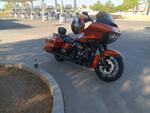
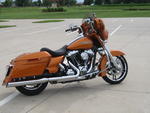
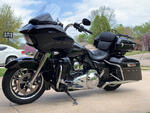
Last year I updated my audio system on my 2014 SG , had the basic 4.3 head unit and I ran music from a flash drive and used the clock , thats about it. I found a nice new take off GTS unit I put in with my new system. I must say there's alot of cool stuff on the GTS .
Ok so I want to be able to use Google maps / Android Auto for GPS and have my music available as well.
I have an old S9 that I'm going to get a micro SD card to load my music on , is there a special way it needs to be loaded on the SD so Android Auto or the GTS can find it ? I have a huge digital music file on my desktop PC I was planning to put directly on the card before I put it in the phone , my PC has an SD card slot. I've never sourced music from my phone before so tell me like a 8 year old if I got something wrong LOL .
I'm having some issues with poor quality USB to usb c cable's , can some one recommend a good quality cable to get because I keep loosing the Android / charging connection , also considering getting a new phone , S23 most likely .
When I can get a good Android connection I have I heart radio available which is kinda cool , is it possible to toggle between saved music on my phone and music apps fairly easy ?
Also there's a different display screen you can select that gives a digital speedometer and all kinds of trip info , how do you re set that trip info ?
To get to your "info" screens, on the left switch pack's joystick, push in the center and hold it there for a couple seconds and you'll get the "quick jump" menu, then toggle to the right (#3)
then you get these 3 screens....
This one is mostly information that you get only when you have an active route going in the Nav... but there is your Digital Speedometer
On this one (below), mine shows the oil's pressure (1), and if EITMS (3) is always showing "disabled" on your bike, regardless of its actual status, you need to update your GTS's software because the latest update fixed that on our older bikes.
Miles Since Service (2) can be reset by you by following these steps: Reset Service Mileage
Entering service mode
1: Be sure ignition switch is off for at least 15 Seconds
2: Turn ignition switch to “Accessories”
3: When stereo’s “Warning Screen” displays, press & hold the stereo’s “Power/Mute” button until “Service Menu” is displayed (approximately 15 seconds)
4: In “Service Menu” scroll to the bottom, and select “Reset”
5: Scroll to the bottom again, and select “Mileage Reset”
6: A window will pop up asking if you want to reset mileage since last service, select “Yes”
7: Use the “Back Arrow” to exit out of “Service Menu” ( twice with back arrow)
Another screen thats active only when you have a active route going in the GTS's Nav
And you wont get this screen on your 2014, unless you change out the BCM and add sensors to the wheels... but its possible (did it to mine)
Thank you , that helps me alot , I was wondering if all that trip info was based off the GTS Nav , not surprised that it is , but I was hoping maybe trip odometers would apply somehow .
Some times I use those screens it if Im going to be out all day riding local and not using/needing the NAV... I do it by, after I get a couple blocks from the house, go into NAV, choose "Home" and have it run that in the background while I am riding, and I'll have the display on the radio's, CarPlay, or Sirius screens... just be sure to turn "audio prompts" off.
You had to know nothing was going to be that simple I too wish that stuff just did its thing all the time, and you could reset it as you wanted...
As far as Android Auto goes. USB cables are very finicky, especially moving around a lot inside the glovebox. I always answer these forum questions suggesting wireless Android Auto through a Motorola MA1. They are on Amazon here:
You need a music app that works with Android Auto as well. I'd just install Spotify, which can also play any songs you load onto your phone. I had a S9 that I upgraded to a S22, had similar issues with intermittent connections and have had no issues with using wireless. I use Google Maps for GPS and Spotify to stream music for the most part. You will have to figure out how you'd want to charge your phone though, there's a few ways to do that if riding all day.
As far as Android Auto goes. USB cables are very finicky, especially moving around a lot inside the glovebox. I always answer these forum questions suggesting wireless Android Auto through a Motorola MA1. They are on Amazon here:
You need a music app that works with Android Auto as well. I'd just install Spotify, which can also play any songs you load onto your phone. I had a S9 that I upgraded to a S22, had similar issues with intermittent connections and have had no issues with using wireless. I use Google Maps for GPS and Spotify to stream music for the most part. You will have to figure out how you'd want to charge your phone though, there's a few ways to do that if riding all day.
Thanks , I appreciate it , thats exactly what I want to do.
I have a cigarette lighter port on the fairing to plug a charger into , my saddle bag has a charging port as well , I'd probable even be in blue tooth range from the saddlebag and have weather proof protection for my phone. I have the free I heart app I've been playing with but I think I will get Spotify , I'm on the road for work alot too so it would get used.
I've used doubleTwist Pro with my droids from the get go (paid for app in the playstore)
always use branded cables, currently: Anker Powerline II USB-C to USB 3.1 Gen2 Cable (3ft) ...little stiff but seems to smooth out the drop outs I suffer with my head units in both my bike and car
the GTS is more than capable of various music formats (see manual), but my rule of thumb has always been MP3 for consistency (and I'm an Apple iTunes user, so everything needed converting)
I always clean up the data and the naming on my flash drives/phone. remove unplayables/bad files/unwanted characters etc using my Mac/PC
keep the flash memory less than 32GB ...not a limitation, just a discovery when it comes to keep the indexing down (specially with the H-D head unit)
keep a backup of the memory key once you get it the way you want it and the radio likes it. Also make a second key with different music on to switch it up
recommend RDVFL wireless module... impressed with that on my HDHU.si so far (if a little slow to boot)
head-units to date: 6.5GT/Sony7000/HDHU.14+/HDHU14.si and mates GTS
...and don't be a sorry for questions, how else do we learn all this stuff
Originally Posted by Stopit
Last year I updated my audio system on my 2014 SG , had the basic 4.3 head unit and I ran music from a flash drive and used the clock , thats about it. I found a nice new take off GTS unit I put in with my new system. I must say there's alot of cool stuff on the GTS .
Ok so I want to be able to use Google maps / Android Auto for GPS and have my music available as well.
I have an old S9 that I'm going to get a micro SD card to load my music on , is there a special way it needs to be loaded on the SD so Android Auto or the GTS can find it ? I have a huge digital music file on my desktop PC I was planning to put directly on the card before I put it in the phone , my PC has an SD card slot. I've never sourced music from my phone before so tell me like a 8 year old if I got something wrong LOL .
I'm having some issues with poor quality USB to usb c cable's , can some one recommend a good quality cable to get because I keep loosing the Android / charging connection , also considering getting a new phone , S23 most likely .
When I can get a good Android connection I have I heart radio available which is kinda cool , is it possible to toggle between saved music on my phone and music apps fairly easy ?
Also there's a different display screen you can select that gives a digital speedometer and all kinds of trip info , how do you re set that trip info ?
Sorry for all the questions . . . Thanks
Last edited by havinabubble; May 18, 2023 at 09:58 AM.
I use a video converter for lots of music and have it convert everything to MP3's , still some songs that it won't recognize but it's more likely going to see a MP3 vs a MP4 I've found , my 2022 Honda or my Onkyo receiver don't even see all the music on my 32GB flash drive so there must be something embedded in the file preventing them from being recognized as an accepted format ?
WARNING GEEK BIT:
It has to do with the USB drive's File Allocation Table, which needs to be reorganized.
I'm a Apple tec (but speak Windows fluently as a second language) and make my flash drives using a Mac.
I have a few routines I follow to rid the drive of spurious files that won’t play or appear
TO MP3 app to convert my iTunes library files on mass dot_cleancommand to remove all the dot underscore file names FATSORTERusing Windows, to sort the File Allocation Table of the USB flash drive.
I've always kept my file types MP3 regardless and have been since my 6.5GT days.
Has kept my SONY and my HDHU's playing sweet
As far as Android Auto goes. USB cables are very finicky, especially moving around a lot inside the glovebox. I always answer these forum questions suggesting wireless Android Auto through a Motorola MA1. They are on Amazon here:
You need a music app that works with Android Auto as well. I'd just install Spotify, which can also play any songs you load onto your phone. I had a S9 that I upgraded to a S22, had similar issues with intermittent connections and have had no issues with using wireless. I use Google Maps for GPS and Spotify to stream music for the most part. You will have to figure out how you'd want to charge your phone though, there's a few ways to do that if riding all day.
Update , I needed to update my cell plan since I was on an old discontinued 2 GB data plan , retired the S9 , ended up with an unlimited talk, text, data, and a new S23 package deal . I just got done setting up the Motorola MA-1 , this is perfect , I have the charging port in my saddlebag which is well within Bluetooth range . Now I don't have to mess with taking my phone off the mount every time I make a short stop as it's now locked and protected in the saddlebag , plus if it starts raining no worries.
Thanks for the suggestion , this is really a slick set-up.
7 Surprising Harley-Davidson Products that Are Not Motorcycles
Slideshow: The bar-and-shield logo shows up on far more than motorcycles, some of the company's most unexpected products have nothing to do with riding.
Slideshow: From the troubled AMF years to modern misfires, these bikes earned reputations for reliability issues, questionable engineering, or disappointing performance.
Crazy Bunderbike Build Looks Amazing, But Is It Impossible to Ride?
Slideshow: The Swiss custom shop has taken a Harley Softail and stretched it into something so long and low that it looks closer to a rolling sculpture than a conventional motorcycle.
Engraved Rebellion: Inside Bundnerbike's Glam Rock II
Slideshow: A standard cruiser becomes an intricate metal canvas in the hands of a Swiss custom house known for pushing Harley-Davidson platforms far beyond their factory brief.
Slideshow: Harley-Davidson's challenges aren't abstract; they show up in dropping shipments, shrinking dealer traffic, and strategic decisions that aren't yet translating into growth.








 GTS Android Auto Questions


 I too wish that stuff just did its thing all the time, and you could reset it as you wanted...