When you click on links to various merchants on this site and make a purchase, this can result in this site earning a commission. Affiliate programs and affiliations include, but are not limited to, the eBay Partner Network.
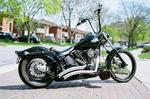
So my 2004 Nightrain that I purchased a little while back came with a Power Commander 3r that I am putting back on the bike since it has Vance and Hines Big Radius pipes and a Roland Sands Air filter kit (PC3 had been installed and then removed by previous owner). I installed the software as per the CD it came with, and I am downloading and unzipping files as suggested in the tutorials on the CD. The PC3 connects to my computer, but the software shows no recognizable map files. I tried downloading the newest software from Dynojets website in hopes that maybe it would open the map I downloaded, but that software wont even connect to my PC3 (needs the 9 volt battery adapter, my PC just has the serial port and thats it).
Not sure what to do here. I have toyed with just keep the PC3 plugged in if it will keep the previous map used by the previous owner in it, but with the software that does connect on my computer (the old software) there is no option to retrieve a map from the PC3 to the computer to see if anything is there. Bike starts and runs with the PC3 plugged in, but obviously I have no clue mapwise what is going on with it.
Any help would be appreciated...not sure what else to try
Are trying to communicate with the PC3r on the bikeor disconnected and just laying beside your computer?
The issue is regardless of whether on bike running or on the computer off the bike- the power commander connects to the computer but I cant get the map files to open in the software so I can transfer it to the power commander.
Had to take the power commander off though as it was causing a sputtering/misfire at cruise and would idle really low after hard at random stops. It ended up throwing the code for the TPS. I cant find instructions anywhere for this thing other install instructions. Is there some sort of tps reset or calibration i need to do after installing the poeer commander?
I just went through the same thing you did. The problem I bet is you're going on Power Commanders website and clicking on Map Search, then downloading your file. What you need to do is instead is type in your bike information on the first screen (Make Model Year), then go to the bottom of the screen where it says Classic Power Commander Units, and click maps/installs. These ones will give you the old extension you can open with the power commander 3 software. All the ones in their main map database are for power commander v and you won't be able to open them with the old software. It took me a long time to figure this out. Good Luck!
Are you using the PC3r Control Center? (NOT the PC3-USB)
What MAP # and file extension are you trying to open?
You have to have the 9volt battery adapter to work with PC3r OFF the bike (but not to open a MAP in the software)
You have to have some MAP loaded in the software before you can "GET" the existing MAP that is on the PC3r
EDIT:
Did you say you had an old original Dynojet disc? There should be a User Manual on there. If not, I can send you one
.
Bare with me here just in case I am not following. I am using the PC3R control center, not the USB one. I wanted to try the zero map just to see what would happen with my hesitation/sputtering issue (map #805-000). I do have the disc, but all I could find on there for paper work was the installation instructions, no user manual what soever unless I am blind. I am still having trouble opening the files as I tried again. Once I download the file from the website, then what? I have tried unzipping or opening as is in the software by going to "load map" and it won't recognize, says error with file loading. As for the 9 volt adapter, I don't even see a place for that to plug into as I thought it was a special port? Does the PC3R have to be connected to the battery or the bike to even just open a map in the software?
Originally Posted by bamba1jl
I just went through the same thing you did. The problem I bet is you're going on Power Commanders website and clicking on Map Search, then downloading your file. What you need to do is instead is type in your bike information on the first screen (Make Model Year), then go to the bottom of the screen where it says Classic Power Commander Units, and click maps/installs. These ones will give you the old extension you can open with the power commander 3 software. All the ones in their main map database are for power commander v and you won't be able to open them with the old software. It took me a long time to figure this out. Good Luck!
THANK YOU! This worked great, I finally found the old maps for this version...problem is I still can't open (see above)
Thanks for all the help so far guys! I really do appreciate it.
7 Surprising Harley-Davidson Products that Are Not Motorcycles
Slideshow: The bar-and-shield logo shows up on far more than motorcycles, some of the company's most unexpected products have nothing to do with riding.
Slideshow: From the troubled AMF years to modern misfires, these bikes earned reputations for reliability issues, questionable engineering, or disappointing performance.
Crazy Bunderbike Build Looks Amazing, But Is It Impossible to Ride?
Slideshow: The Swiss custom shop has taken a Harley Softail and stretched it into something so long and low that it looks closer to a rolling sculpture than a conventional motorcycle.
Engraved Rebellion: Inside Bundnerbike's Glam Rock II
Slideshow: A standard cruiser becomes an intricate metal canvas in the hands of a Swiss custom house known for pushing Harley-Davidson platforms far beyond their factory brief.
Slideshow: Harley-Davidson's challenges aren't abstract; they show up in dropping shipments, shrinking dealer traffic, and strategic decisions that aren't yet translating into growth.




 Power Commander 3R File help