



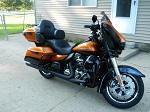




Anyone working on going wireless?

Cruiser
Joined: Apr 2006
Posts: 149
Likes: 0
From: Western PA

There is a company that has a wireless headset in the works, it will have a stand alone receiver in the fairing that the headset connects to that is connected to the radio, so the bike thinks you are using a wired headset! It is in beta now and should be out ini a month or two.

Tourer
Joined: Jun 2012
Posts: 313
Likes: 1
From: Kremmling,CO
I don't disagree with you at all. On a SGS though, We would have to buy and add the plug which mounts at the base of the gas tank and looks crappy.

Road Captain


Joined: Sep 2012
Posts: 648
Likes: 152
From: Tampa, FL
Looking for clarification
It looks like the Sierra Electronics solution is a custom cable with a Sena sled for $162. The user would need to supply their own Sena module for use with this adapter along with their headset units.
Am I interpreting the solution correctly?
Am I interpreting the solution correctly?

Cruiser
Joined: Dec 2007
Posts: 153
Likes: 5
From: New Hampshire
The wife and i did a 3000 mile trip last summer down the Blue Ridge Parkway into Tennessee via the Dragon and used the Sena BT Headsets the whole time. They worked great and we continue to use them when we ride. Being able to have them interface with the infotainment center would be great but i may wait a bit before buying the finished product.
I contacted the guy who designed the interface last fall and offered to test a unit out on my 14 Limted. He sent me the prototype but never told me id have to buy another SMH10. I didnt have the extra $112 at the time and never hooked it up. Maybe in the spring ill pick up another SMH10 and give the prototype a shot.
Heres a pic that was in the word doc they emailed.

HARLEY-DAVIDSON (HD) SENA WIRELESS HARNESS
1. 1998 to current HD Ultra Classic
2. Remove tour trunk liner.
3. Locate and remove rubber grommet from around OEM wiring harness located in lower left corner of tour trunks’ front wall.
4. Utilizing factory wiring hole – route Sierra Sena harness out of trunk (note-on some year models, it may be necessary to route cable from outside trunk to inside trunk).
5. Route approximately 16” of cable out of tour trunk.
6. Re-install rubber grommet in hole around both harnesses.
7. Connect 5 pin din plug from Sierra Sena harness to passenger 7 pin din headset connector located under left rear speaker pod. Secure harness with tie wraps.
8. Make a small opening in tour trunk liner for Sierra Sena harness to enter inner trunk. Route the three connectors from the harness through the opening.
9. Re-install tour trunk liner.
10. We have found it convenient to mount the Sena module by clamping it to the tour trunk liner or by using Velcro to hold unit in place. Mount a fully charged Sena SMH-10 into the clamp.
11. Installation is complete, see operating instructions on reverse side.
Operating Instructions:
1. Turn the HD’s ignition switch to the accessory position.
2. Turn on the HD’s FM radio and tune it to a local station and adjust the audio level to a normal value. Set the speaker switch to headset. Turn off the HD’s OEM intercom. Driver and Passenger intercom communication will be provided via Sena Bluetooth headsets.
3. Turn on the SMH10 unit in the tour trunk. Turn the jog dial clockwise twice, stop and then turn it back counterclockwise 30 degrees. This sets the microphone gain to a reasonable level. Do not use this jog dial to adjust any volume levels. The only thing it will adjust is the microphone gain. Later, you will adjust the gain to achieve the desired level of modulation.
4. Put your helmet on and turn on the SMH10. Turn the jog dial clockwise so the volume is at maximum.
5. Pair the two SMH10 units as instructed by the SMH10 operating manual.
6. Tap the jog dial once to establish an intercom link between the SMH10 units. This will connect your helmet system to the HD’s audio system. Now you should hear the FM radios output. Use the HD’s PASSENGER volume control to adjust the sound level. Adjust the radio volume to highest desired level . After setting radio level, all volume will be controlled from the helmet mounted SMH10 headsets.
7. Utilizing another CB radio, test the HD’s CB transmit feature. Tune both radios to an isolated channel. Press the HD’s PTT switch and start speaking. Adjust the jog dial on the SMH10 unit in the tour trunk to achieve a suitable level of modulation.
8. Test all audio sources such as AM radio, weather radio and navigation system.
9. Follow the SMH10 instructions on 3-way intercom to set up the passenger’s SMH10. When doing so, pair the passenger unit to the driver first, then the HD’s unit to the driver. Thereafter, a single tap of the jog dial will establish a connection between your helmet and the HD audio system and a double tap will bring the passenger into the conversation. ***Please note if using this system with Sena 20S Bluetooth Headset, it is our recommendation to disable the “audio multitasking” feature. Refer to Sena 20S User’s Guide.
10. Refer to Sena SMH10 User’s Guide to pair the driver or passenger units to a cell phone. A push of the phone button controls these devices. When using the cell phone, you will not be able to use the CB.
11. When utilizing the Sena SM10 Dual Stream Stereo Transmitter, helmet headset should be paired in Selective Profile: A2DP Stereo.

Sponsor

Joined: Apr 2007
Posts: 2,581
Likes: 65
From: Tucson AZ
take a look at J&Ms dual-mode stereo Bluetooth dongle for on-board audio systems here ,,,,,,,,
,,
__________________
JMJOHN,,,, www.Jmcorp.com ,,,, send email direct to John@Jmcorp.com for your HD-Forums VIP Discount Promo Code.
JMJOHN,,,, www.Jmcorp.com ,,,, send email direct to John@Jmcorp.com for your HD-Forums VIP Discount Promo Code.
HD Forum Stories
The Best of Harley-Davidson for Lifelong Riders

7 Surprising Harley-Davidson Products that Are Not Motorcycles
Verdad Gallardo
8 Best Harley-Davidson Motorcycles Ever
Pouria Savadkouei
10 Worst Harley-Davidson Motorcycles Ever
Pouria Savadkouei
Killer Custom's Jail Break Is The Breakout That Refused to Blend In
Verdad Gallardo
Crazy Bunderbike Build Looks Amazing, But Is It Impossible to Ride?
Verdad Gallardo
Harley-Davidson Reveals Super Cool Cafe Racer Concept
Verdad Gallardo
Engraved Rebellion: Inside Bundnerbike's Glam Rock II
Verdad Gallardo
10 Motorcycles You Should Never Buy
Joe Kucinski
10 Things Harley-Davidson Needs to Fix in 2026
Verdad Gallardo
Cruiser
Joined: Dec 2007
Posts: 153
Likes: 5
From: New Hampshire
take a look at J&Ms dual-mode stereo Bluetooth dongle for on-board audio systems here ,,,,,,,, J&M Bluetooth Motorcycle Audio Lineup for 2015 - YouTube ,,
I went out to the J&M website and had a look at the J&M Dual-Module A2DP Stereo Bluetooth Dongle # JMBT-DNG22-A2DP and although it says it works with HD motorcycles it doesnt appear from the installation manual that it plugs directly into the 7 Pin headset jacks.
http://www.jmcorp.com/ProductDetail....NG22-A2DP#VIDS
It also appears this only relays the music being played from the bikes radio. It doesnt mention whether it will relay phone conversations, CB etc.
It says the following "This new J&M Bluetooth dongle when connected to a specific motorcycle audio system, with one of J&M's custom dongle connection harnesses, (extra cost item) will turn on and off automatically with the motorcycle ignition and there are no batteries ever, to charge or replace."
I didnt see a harness for use with this Bluetooth Dongle. It doesnt appear you would get the same functionality as the Sierra Electronics option. The price tag is pretty big pill to swallow if it only transmits audio from the radio and doesnt allow two way communication via bluetooth. Us Sena owners can purchase the same thing (from Sena) if all we want is audio transmission from the radio via BT, for a whole lot less.
Please provide some more details if im wrong about any of this.
Tourer
Joined: Jan 2014
Posts: 496
Likes: 0
From: Plainview, NY
JMJohn might be a good idea if your really wanting to contribute to this thread to post some additional details about your product.
I went out to the J&M website and had a look at the J&M Dual-Module A2DP Stereo Bluetooth Dongle # JMBT-DNG22-A2DP and although it says it works with HD motorcycles it doesnt appear from the installation manual that it plugs directly into the 7 Pin headset jacks.
http://www.jmcorp.com/ProductDetail....NG22-A2DP#VIDS
It also appears this only relays the music being played from the bikes radio. It doesnt mention whether it will relay phone conversations, CB etc.
It says the following "This new J&M Bluetooth dongle when connected to a specific motorcycle audio system, with one of J&M's custom dongle connection harnesses, (extra cost item) will turn on and off automatically with the motorcycle ignition and there are no batteries ever, to charge or replace."
I didnt see a harness for use with this Bluetooth Dongle. It doesnt appear you would get the same functionality as the Sierra Electronics option. The price tag is pretty big pill to swallow if it only transmits audio from the radio and doesnt allow two way communication via bluetooth. Us Sena owners can purchase the same thing (from Sena) if all we want is audio transmission from the radio via BT, for a whole lot less.
Please provide some more details if im wrong about any of this.
I went out to the J&M website and had a look at the J&M Dual-Module A2DP Stereo Bluetooth Dongle # JMBT-DNG22-A2DP and although it says it works with HD motorcycles it doesnt appear from the installation manual that it plugs directly into the 7 Pin headset jacks.
http://www.jmcorp.com/ProductDetail....NG22-A2DP#VIDS
It also appears this only relays the music being played from the bikes radio. It doesnt mention whether it will relay phone conversations, CB etc.
It says the following "This new J&M Bluetooth dongle when connected to a specific motorcycle audio system, with one of J&M's custom dongle connection harnesses, (extra cost item) will turn on and off automatically with the motorcycle ignition and there are no batteries ever, to charge or replace."
I didnt see a harness for use with this Bluetooth Dongle. It doesnt appear you would get the same functionality as the Sierra Electronics option. The price tag is pretty big pill to swallow if it only transmits audio from the radio and doesnt allow two way communication via bluetooth. Us Sena owners can purchase the same thing (from Sena) if all we want is audio transmission from the radio via BT, for a whole lot less.
Please provide some more details if im wrong about any of this.