





rear turn signal help!!!!! Loose
Thread Starter
|
Advanced
Joined: Aug 2009
Posts: 74
Likes: 1
 rear turn signal help!!!!! Loose
i have bullet style rear signals with the mount for a detachable sissy bar. the signal is loose and i cant figure out how to tighten it. if i tighten the post from the nut by the light the signal points up in the air. if i turn the light back to straight, it becomes loose. The post and light tighten independent of each other and when they are tight, don't line up! I dont feel any nut on the inside of the fender nor is there one in the light itself. WTF!!!! last time i got pissed and just broke it off. So, not trying to do that again, and after some counseling i thought I would try posting this. there is an oval washer next to the strut that turns and uncovers a hole but there is nothing in it.
Any help will be appreciated
i thought I would try posting this. there is an oval washer next to the strut that turns and uncovers a hole but there is nothing in it. Any help will be appreciated

Cruiser
Joined: May 2010
Posts: 109
Likes: 0
From: Meriden, CT
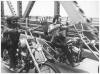
disconnect the plug at the tail light housing and then you can tighten without binding the wire. There is a hollow stud that threads into the light and then the fender I believe. Tighten the light onto the stud first and then tighten the unit onto the fender. post some pics
Cruiser
Joined: May 2008
Posts: 174
Likes: 1
From: Tallahassee, Florida
Interesting!
This doesn't look right. Is it one long hollow bolt, perhaps 2 and1/4 to 2 and 1/2 inch long that extends form behind the fender support and is screwed into the lamp housing? Or as I suspect is the hollow bolt (a shorter hollow bolt, say 1 and 1/4 inch) cobbled to a double threaded hollow tube joined by the chrome nut and spacer? If so this is not going to work very well. Tightening the chrome nut on the hollow bolt while trying to hold the light housing loosens the double threaded hollow tube going into the lamp housing. Needs one long hollow bolt through a thicker spacer eliminating the chrome nut.
Trending Topics
Thread Starter
|
Advanced
Joined: Aug 2009
Posts: 74
Likes: 1
ok, i accidentally figured it out. the chrome nut threads off the post towards the light. if you unthread it all the way, you see the end of the post which is flat, so you can wrench it tight towards the bike. once the post is tight you can thread the chrome nut back on and the light. once at the end of the threads, hold on to the the light in the postion you want, turn the chrome nut backwards to the light, locking it tight. I think I have gone cross eyed typing this. I hope this made sense and thanks for the replies.
With all the technology today, there must be an easier way.
With all the technology today, there must be an easier way.
HD Forum Stories
The Best of Harley-Davidson for Lifelong Riders

7 Times Harley-Davidson Chucked Tradition Out the Window
Verdad Gallardo
7 Surprising Harley-Davidson Products that Are Not Motorcycles
Verdad Gallardo
8 Best Harley-Davidson Motorcycles Ever
Pouria Savadkouei
10 Worst Harley-Davidson Motorcycles Ever
Pouria Savadkouei
Killer Custom's Jail Break Is The Breakout That Refused to Blend In
Verdad Gallardo
Crazy Bunderbike Build Looks Amazing, But Is It Impossible to Ride?
Verdad Gallardo
Harley-Davidson Reveals Super Cool Cafe Racer Concept
Verdad Gallardo
Engraved Rebellion: Inside Bundnerbike's Glam Rock II
Verdad Gallardo
10 Motorcycles You Should Never Buy
Joe Kucinski
Grand HDF Member
Joined: Mar 2010
Posts: 3,949
Likes: 150
From: South of Mordor
Disconnect the wires to the light and unscrew te light from the post. Then unscrew the but from the post/stud. Then tight te stud to the fender bracket. The screw the nut back on until it stops, do no tighten it, leave it loose. The attach the light and screw it down until it is right next to the nut. Angle the light where you want it pointing and tighten the nut to the light. The post/stud shouldn't move cause you tightened before you added the nut or light.

Thread
Thread Starter
Forum
Replies
Last Post
docarooooo
Ignition/Tuner/ECM/Fuel Injection
2
Feb 5, 2012 12:32 PM
