




CVO Dash Install - How to

Thread Starter
|
Ultimate HDF Member
Joined: Jun 2010
Posts: 5,105
Likes: 16
From: Blaine, WA
 CVO Dash Install - How to
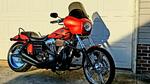
Just finished my CVO dash and combo speedometer tonight, I will be posting a how to with photos later on but for now, here are a couple sneak peek photos. Really pleased how it turned out, all plug and play save for a tiny mod to the trip reset wire which amounted to cutting some electrical tape - LOL and everything fired up and worked perfectly first time. Gonna go ride tomorrow, give it a long overdue bath then I will take some better photos.


Ultimate HDF Member
Joined: Jul 2011
Posts: 5,477
Likes: 5
From: New Braunfels, Texas
That looks freakin awesome. Looks like the chrome shop did a great job on the dash extension.
Now I get my long awaited parts for my nephews bike. He just moved here last week and we got his bike going after 2 years of sitting.
When you're ready to ship, send me a e-mail and I'll pay you.
Really looks good...what was the total cost?
Now I get my long awaited parts for my nephews bike. He just moved here last week and we got his bike going after 2 years of sitting.
When you're ready to ship, send me a e-mail and I'll pay you.
Really looks good...what was the total cost?
Thread Starter
|
Ultimate HDF Member
Joined: Jun 2010
Posts: 5,105
Likes: 16
From: Blaine, WA
In this first installment
Photo 1 - shows all the parts needed to convert an FXDC/FXDF to a CVO or cat eye dash, all this started because I found the main dash piece on ebay for cheap and I slowly collected the rest plus I added the spun aluminum combo speedometer/tachometer than I have been lusting after
Photo 2, 3 & 4 - shows the data port under the electrical cover on the left side of the bike, we are going to use the included cable to plug in the new speedometer, turn the main switch to accessory and wait for the mileage from the ecm to transfer over - when it says ok you can turn the switch off, disconnect the cable and replace the data port to its holder.
Photo 1 - shows all the parts needed to convert an FXDC/FXDF to a CVO or cat eye dash, all this started because I found the main dash piece on ebay for cheap and I slowly collected the rest plus I added the spun aluminum combo speedometer/tachometer than I have been lusting after
Photo 2, 3 & 4 - shows the data port under the electrical cover on the left side of the bike, we are going to use the included cable to plug in the new speedometer, turn the main switch to accessory and wait for the mileage from the ecm to transfer over - when it says ok you can turn the switch off, disconnect the cable and replace the data port to its holder.
Thread Starter
|
Ultimate HDF Member
Joined: Jun 2010
Posts: 5,105
Likes: 16
From: Blaine, WA
There are a few listed that work on 09-11 models and others for 12+ but for some reason they only show up in the Softtail section.
Trending Topics
Thread Starter
|
Ultimate HDF Member
Joined: Jun 2010
Posts: 5,105
Likes: 16
From: Blaine, WA
Second installment:
Photo 5 - since the fuel tank will be opened up we should depressurize the fuel pump, to do this remove the 15A fuel fuse, start and run the bike until it dies then crank the starter 3 seconds to purge any remaining fuel pressure. Since removing the fuel tank top cover will create fuel vapors, follow that by disconnecting the battery or removing the 40A main fuse to prevent any sparks.
Photo 6 - Remove the two allen head bolts on the dash and the one near the rear tank mount holding the bib, cover the tank and turn it over to expose the dash wire harness. Disconnect the three plugs for the main switch, idiot lights and speedometer and set the dash aside for now.
Photo 7 - With the dash removed, disconnect the yellow fuel pump connector and vent hose from the the fuel tank top cover and tuck the harness out of the way for now and remove the 12 torx head screws holding the top cover in place.
Photo 5 - since the fuel tank will be opened up we should depressurize the fuel pump, to do this remove the 15A fuel fuse, start and run the bike until it dies then crank the starter 3 seconds to purge any remaining fuel pressure. Since removing the fuel tank top cover will create fuel vapors, follow that by disconnecting the battery or removing the 40A main fuse to prevent any sparks.
Photo 6 - Remove the two allen head bolts on the dash and the one near the rear tank mount holding the bib, cover the tank and turn it over to expose the dash wire harness. Disconnect the three plugs for the main switch, idiot lights and speedometer and set the dash aside for now.
Photo 7 - With the dash removed, disconnect the yellow fuel pump connector and vent hose from the the fuel tank top cover and tuck the harness out of the way for now and remove the 12 torx head screws holding the top cover in place.
HD Forum Stories
The Best of Harley-Davidson for Lifelong Riders

7 Surprising Harley-Davidson Products that Are Not Motorcycles
Verdad Gallardo
8 Best Harley-Davidson Motorcycles Ever
Pouria Savadkouei
10 Worst Harley-Davidson Motorcycles Ever
Pouria Savadkouei
Killer Custom's Jail Break Is The Breakout That Refused to Blend In
Verdad Gallardo
Crazy Bunderbike Build Looks Amazing, But Is It Impossible to Ride?
Verdad Gallardo
Harley-Davidson Reveals Super Cool Cafe Racer Concept
Verdad Gallardo
Engraved Rebellion: Inside Bundnerbike's Glam Rock II
Verdad Gallardo
10 Motorcycles You Should Never Buy
Joe Kucinski
10 Things Harley-Davidson Needs to Fix in 2026
Verdad Gallardo
Thread Starter
|
Ultimate HDF Member
Joined: Jun 2010
Posts: 5,105
Likes: 16
From: Blaine, WA
Photo 8 - Here we see the inner connector for the fuel pump, depress the button on the side of the connector to disengage the rectangular slot, the top cover can be removed now.
Photo 9 - Here's the fuel tank opening, remove the rubber gasket taking care not to dislodge any debris into the exposed fuel tank and use a vaccum to avoid anything falling inside before wiping the surface clean. The top cover gasket and the 12 torx head screws are ONE TIME USE and must be replaced, apply the new gasket and top cover making sure to reconnect the inner fuel pump connection.
Photo 10 - You can see the difference between the new (left) and the original top covers, it isn't one you can just bend the tabs and they aren't terribly expensive anyway, the speed nuts listed in the parts book aren't needed, they are permanently affixed to the cover.
Photo 11 - Since the top cover gasket gasket is very flexible and wont stay aligned with all 12 holes at the same time, use a scribe or small alignment punch to line up each hole before starting the screw and moving on to the next one.
Photo 12 - Once all screws are snugged down, torque easy one in the sequence shown in the manual (basically center outward, left to right, top to bottom in an alternating pattern. the torque is very low - just 36 in/lbs - even with my Snap-On inch/lbs torque wrench the range was too high at 40in/lbs.......I went two in/lbs below the minimum (which is 40in/lbs) setting them at 38 in/lbs which is pretty close. Be sure to check them all one final time after you've done them all - they still moved a little due to the rubber sealing surfaces on the gasket and screws. Remember those are one time use - you don't want a leak here.
Photo 9 - Here's the fuel tank opening, remove the rubber gasket taking care not to dislodge any debris into the exposed fuel tank and use a vaccum to avoid anything falling inside before wiping the surface clean. The top cover gasket and the 12 torx head screws are ONE TIME USE and must be replaced, apply the new gasket and top cover making sure to reconnect the inner fuel pump connection.
Photo 10 - You can see the difference between the new (left) and the original top covers, it isn't one you can just bend the tabs and they aren't terribly expensive anyway, the speed nuts listed in the parts book aren't needed, they are permanently affixed to the cover.
Photo 11 - Since the top cover gasket gasket is very flexible and wont stay aligned with all 12 holes at the same time, use a scribe or small alignment punch to line up each hole before starting the screw and moving on to the next one.
Photo 12 - Once all screws are snugged down, torque easy one in the sequence shown in the manual (basically center outward, left to right, top to bottom in an alternating pattern. the torque is very low - just 36 in/lbs - even with my Snap-On inch/lbs torque wrench the range was too high at 40in/lbs.......I went two in/lbs below the minimum (which is 40in/lbs) setting them at 38 in/lbs which is pretty close. Be sure to check them all one final time after you've done them all - they still moved a little due to the rubber sealing surfaces on the gasket and screws. Remember those are one time use - you don't want a leak here.