




How do I get the BIG picture
Club Member


Joined: Oct 2009
Posts: 1,075
Likes: 101
From: Back Overseas for now

ok, I know this is the wrong place but thats my problem... I did it once before but now can't seem to find WHERE ?HOW to start a new thread! ( Yes, I am probably retarded,) but can some one walk me though it?
Ok here it is. To get the really big picture.....1. make a photobucket account 2. add pics 3. right under the pic in photobucket is a direct link click on that, it will copy it 4. go back to hdforums, open a new thread or reply to thread 5. Click on the little mounts picture with the sun for insert image, the attatchment one wont make it as big. 6. paste the link that you copied from photobucket into where it says please enter the URL for the image. 7. your done it should show up really big!!!!!!!!!!! 
Road Warrior
Joined: Dec 2009
Posts: 1,328
Likes: 154
From: Lake City, Florida
Great! 7 Easy steps.
Step 1. Make Photobucket account.
OK, So where do I find Photo Bucket Accounts? I don't think the softwear guys could make this any more difficult if they tried.
Step 1. Make Photobucket account.
OK, So where do I find Photo Bucket Accounts? I don't think the softwear guys could make this any more difficult if they tried.
Last edited by jamesroadking; Apr 3, 2011 at 06:58 AM.

Elite HDF Member
Joined: Jul 2007
Posts: 3,891
Likes: 54
From: Mansfield, MA
Outstanding HDF Member
Joined: Sep 2005
Posts: 2,600
Likes: 7
From: Minnesota
Go to Photobucket http://photobucket.com/ and open an account - its free. Upload all the pictures you like. In addition to pasting links on forums it a good way to keep a backup of your photos.
When you want a picture to appear on the forum click on it. You will then see a larger version and off to the right will be a list of choices - choose 'IMG Code'. When you click it is copied then you just paste it in your reply.
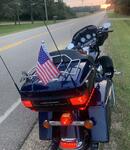
Here is what is looks like:

When you want a picture to appear on the forum click on it. You will then see a larger version and off to the right will be a list of choices - choose 'IMG Code'. When you click it is copied then you just paste it in your reply.
Here is what is looks like:
Seasoned HDF Member
Joined: Jan 2011
Posts: 28,842
Likes: 16,580
From: Wisconsin, USA
how do you add text?
I opened a Photobucket account, and am able to post pictures. They come out really huge, though. Is there a way to adjust the size? Also I couldn't add any text. How do you do that?
Ok here it is. To get the really big picture.....1. make a photobucket account 2. add pics 3. right under the pic in photobucket is a direct link click on that, it will copy it 4. go back to hdforums, open a new thread or reply to thread 5. Click on the little mounts picture with the sun for insert image, the attatchment one wont make it as big. 6. paste the link that you copied from photobucket into where it says please enter the URL for the image. 7. your done it should show up really big!!!!!!!!!!!
Elite HDF Member
Joined: Jul 2007
Posts: 3,891
Likes: 54
From: Mansfield, MA
Each photo in photobucket has an edit button. you can adjust the size by hitting the edit button.
Also you can add descriptions and texts using the same edit button
Also you can add descriptions and texts using the same edit button
HD Forum Stories
The Best of Harley-Davidson for Lifelong Riders

8 Best Harley-Davidson Motorcycles Ever
Pouria Savadkouei
10 Worst Harley-Davidson Motorcycles Ever
Pouria Savadkouei
Killer Custom's Jail Break Is The Breakout That Refused to Blend In
Verdad Gallardo
Crazy Bunderbike Build Looks Amazing, But Is It Impossible to Ride?
Verdad Gallardo
Harley-Davidson Reveals Super Cool Cafe Racer Concept
Verdad Gallardo
Engraved Rebellion: Inside Bundnerbike's Glam Rock II
Verdad Gallardo
10 Motorcycles You Should Never Buy
Joe Kucinski
10 Things Harley-Davidson Needs to Fix in 2026
Verdad Gallardo
Southpaw Super Glide: A Left-Hand-Drive 1979 Harley FXE Built to Fit the Rider
Verdad Gallardo


https://www.hdforums.com/forum/faq.p..._threads_posts