When you click on links to various merchants on this site and make a purchase, this can result in this site earning a commission. Affiliate programs and affiliations include, but are not limited to, the eBay Partner Network.
I use My Route App as well, but whether I use that or the H-D Route planner, I have similar headaches.
Just wondering if I'm the only one:
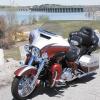
I lay out a route on my Mac, save it as a .GPX file, (in My Route App, I save it as a H-D 2019 version, because my bike is a 2020 CVO Street Glide).
I load it to a USB stick,
I upload it to the bike.
No problem with any of that, works smoothly all the time.
BUT-- When I go to actually ride the route, that's when I get all kinds of weirdness and errors. We all know the purple line is "the route". I get this thing where the purple line splits or takes two different routes at the same time. Were it not for the Way Points, I wouldn't know where to go.
I'm attaching some photos of the problems.
Looking for helpful input. Thanks.
The only time I have seen anything like that is when there is Waypoint in middle
of nowhere that it is trying to take u to. Of it is trying to Avoid something.
If you send me the GPX I will take a look at it.
I use My Route App as well, but whether I use that or the H-D Route planner, I have similar headaches.
Just wondering if I'm the only one:
I lay out a route on my Mac, save it as a .GPX file, (in My Route App, I save it as a H-D 2019 version, because my bike is a 2020 CVO Street Glide).
I load it to a USB stick,
I upload it to the bike.
No problem with any of that, works smoothly all the time.
BUT-- When I go to actually ride the route, that's when I get all kinds of weirdness and errors. We all know the purple line is "the route". I get this thing where the purple line splits or takes two different routes at the same time. Were it not for the Way Points, I wouldn't know where to go.
I'm attaching some photos of the problems.
Looking for helpful input. Thanks.
I’ve had mine look similar but realized (in my case) that the odd line was actually the route of the return part of my ride.
I would do the same, take a look at your route if you want me to. Instead of the GPX, you can also "friend" others on MRA and I can directly access your route if you set it up for sharing with friends, you can mark it private, public, or friends. If you are comfortable sharing your email with me send me a PM and I will respond with mine, then when I have time, I will go in and look your route over.
I have never experienced the issue you are having and have had several multi-day trips with the routes working flawlessly. When I have had issues, it has been due to something I did setting up the route or trying to change the route from the road. I have downloaded files and have used the Navigation tool on my cell phone and both with really good results over the years. Not saying it is "human error", but I have learned a lot from using the system for several years.
Share the route in MRA and post the MRA link in here so we can check if there are any points mispositioned
It seems to me you cam from another direction (a) as calculated in MRA. Your MRA point# 21 is positioned in your bike's gps at a different location (C). Idnk what happened when you transferred the data to your gps.
Did you consult the info at MRA's Support page on MyRoute-app & Harley Davidson Boom Box?
Last edited by FXD2003Rider; Jun 15, 2024 at 01:23 PM.
Thanks for taking a look. The route, as it comes up on the MRA web site is exactly what I rode, (I'm a HOG Road Captain, and I had a bunch of bikes behind me). The good news is that when I can see the yellow flags, (MRA's depiction of Way Points), I know exactly where to go regardless of how the purple lines get confused. As to your point about what the bike's GPS does with the GPX file, I have no insight into that. If it helps, I'm attaching the .GPX saved as a HD Boom Box 2019 (Track), and as GPX 1.1 (Route, Track, POI).
One question I started wondering about is how to save the GPX file. MRA offers me multiple formats, including HD Boom Box 2019 (Track), HD Boom Box Pre-2019 (Route) [my bike is a 2020, so I don't use this], or .GPX 1.1 (Route, Track, POI). I've been saving the gpx file as HD Boom Box 2019 (Track), and I even tried saving it a .GPX 1.1 (Route, Track, POI), but did not see any noticeable change in the performance of the bike's navigation.
Of the three "components" at work: The route software, the .GPX file, or the HD nav system, the one I have the least confidence in is the HD nav system.
... I've been saving the gpx file as HD Boom Box 2019 (Track), and I even tried saving it a .GPX 1.1 (Route, Track, POI), but did not see any noticeable change in the performance of the bike's navigation...
See images below for the difference between the Boom2019 format and the gpx1.1 format (in BaseCamp).
Boom2019 format content:
the start waypoint
the finish wayypoint
the route (via points included with warning at arrival in BaseCamp terms the so called hard setting)
GPX1.1 format content:
the route (via points included without warning at arrival in BaseCamp terms so called soft setting)
the track
The track in green differs from the route in purple at the locations you showed in your pictures. To me it looks like your gps shows both the track and the route....
Perhaps this is either caused by the fact that both files were loaded into your gps or using the wrong gpx file (1.1) during your trip.
Last edited by FXD2003Rider; Jun 16, 2024 at 07:40 AM.
MyRoute-app has a good navigation app. Scenic is also excellent. However, the MyRoute-app planner, I would just rate as "OK". A better option, IMO, for actual "trip" planning is Furkot. There is a difference between making custom routes and planning trips (with custom routes). Furkot does both well. MyRoute-app is more suited to the former and not the latter.
Slideshow: Jason Momoa's latest restoration project blends 1920s Harley-Davidsons with modern electric technology, creating some of the most unusual hybrid motorcycles ever built.
Harley-Davidson Fat Boy Becomes a Dark, Decepticon-Inspired Custom
Slideshow: Killer Custom's latest build relies on styling changes rather than performance upgrades, giving the cruiser an entirely different personality.
7 Surprising Harley-Davidson Products that Are Not Motorcycles
Slideshow: The bar-and-shield logo shows up on far more than motorcycles, some of the company's most unexpected products have nothing to do with riding.
Slideshow: From the troubled AMF years to modern misfires, these bikes earned reputations for reliability issues, questionable engineering, or disappointing performance.
Crazy Bunderbike Build Looks Amazing, But Is It Impossible to Ride?
Slideshow: The Swiss custom shop has taken a Harley Softail and stretched it into something so long and low that it looks closer to a rolling sculpture than a conventional motorcycle.