When you click on links to various merchants on this site and make a purchase, this can result in this site earning a commission. Affiliate programs and affiliations include, but are not limited to, the eBay Partner Network.
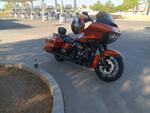
My 2019 Road Glide Special had an outdated software version and so I thought I would download the new version (MY20.19.20.01) and upload it into my motorcycle.
I downloaded the file from the Harley Australia website, unzipped the folder and copied the contents onto a 3.0 USB flash drive that was just reformatted and empty.
I set my ignition to 'accessory mode' and plug the USB flash drive into my bike. The bike recognises the drive immediately and starts uploading packages 1 of 7. After it finishes uploading package 2 of 7, I see the following error message "Software installation processes was interrupted. Please leave ignition switch in accessory position and re-insert the USB device". I have attached some photos to see.
At this point, Im stuck. I tried different USB flash drives from 16GB capacity through to 128GB but none of these make a difference - I still see an error message after it finishes uploading package 2 of 7.
I am going to buy a 2.0 USB flash drive tomorrow to see if that works but if this fails, I am out of ideas.
Any advice from anyone who has experience with this issue would be greatly appreciated.
There are different formatting option when formatting your USB flash drive in preparation to copying the unzipped files from your PC.
I changed the formatting platform from the default "FAT32" to "exFAT". I note the operating manual states that either formatting option is acceptable but I guess different USB's are sensitive to which formatting option you use.
proceeded to format the USB as "exFAT".
copied the unzipped files onto the USB.
removed USB from PC and plugged it into the motorcycle with the ignition set on accessory mode.
Bike uploaded all files perfectly and fairly quickly.
I appreciate your reply. However, i have tried that and it didn't respond. This screen basically unresponsive to any buttons i pressed.
HOWEVER, I FOUND THE SOLUTION (after reading more on this and other forums).
I RECOPIED the file to another USB drive. This time, i used a very old USB (from year 2010) yes, 13 years old USB. Definitely not USB 3.0. And i formatted it with ExFat format using windows.
It is still the same software file i downloaded earliwr
And this time, right after i went to accecory mode and plugged in the USB, the head unit showed: SOFTWARE UPDATE.
i officially exited the bricked state.
I felt 20kgs has been lifted off my shoulders. 😊😊😊
7 Surprising Harley-Davidson Products that Are Not Motorcycles
Slideshow: The bar-and-shield logo shows up on far more than motorcycles, some of the company's most unexpected products have nothing to do with riding.
Slideshow: From the troubled AMF years to modern misfires, these bikes earned reputations for reliability issues, questionable engineering, or disappointing performance.
Crazy Bunderbike Build Looks Amazing, But Is It Impossible to Ride?
Slideshow: The Swiss custom shop has taken a Harley Softail and stretched it into something so long and low that it looks closer to a rolling sculpture than a conventional motorcycle.
Engraved Rebellion: Inside Bundnerbike's Glam Rock II
Slideshow: A standard cruiser becomes an intricate metal canvas in the hands of a Swiss custom house known for pushing Harley-Davidson platforms far beyond their factory brief.
Slideshow: Harley-Davidson's challenges aren't abstract; they show up in dropping shipments, shrinking dealer traffic, and strategic decisions that aren't yet translating into growth.




 Trouble Updating GTS Infotainment System