








2014 GPS Nav Question

Thread Starter
|
6th Gear
Joined: Sep 2012
Posts: 14
Likes: 0
From: Hawaii
 2014 GPS Nav Question
Alright, so after having read the manual, and the other book specifically for the boom box/nav, and the quick start guide I can not find anywhere in them on how to turn off the navigation.
Any help would be greatly appreciated.
Any help would be greatly appreciated.
Thread Starter
|
6th Gear
Joined: Sep 2012
Posts: 14
Likes: 0
From: Hawaii
Thanks for the quick lesson on it. Yes, I meant stop navingation, not turn off the unit.
Couldn't find it, did the firmware update, and still couldn't find it. Guess my eyes (or attention to detail) are going.
Found the little box and got it to stop the nav.
Again, thanks for the assist.
Couldn't find it, did the firmware update, and still couldn't find it. Guess my eyes (or attention to detail) are going.
Found the little box and got it to stop the nav.
Again, thanks for the assist.
Tell me more about the radar overlay....

Road Captain
Joined: Aug 2011
Posts: 567
Likes: 1
From: Sacramento
I'm thinking it's an XM thing.
Trending Topics
I reckon.
I refuse to pay $400 for the privelidge of paying for a subscription to the radio.
I was told when I first started looking that XM was included, if you pay for the subscription. By salesmen at 3 different dealers. If I'm not mistaken, it's listed that way in some of their errant literature.
I've had XM for years in my cars, trucks... even with a Road Tech unit on my Road Glide Ultra, which is useless without AUX input on the '14.
But it did get me to do something I said I'd never do... bought an iPod Nano. With the stuff I've bought for the wife, kid, and my CDs, I've got almost 500 songs so far.
Sorry..... got a bit off topic....
I refuse to pay $400 for the privelidge of paying for a subscription to the radio.
I was told when I first started looking that XM was included, if you pay for the subscription. By salesmen at 3 different dealers. If I'm not mistaken, it's listed that way in some of their errant literature.
I've had XM for years in my cars, trucks... even with a Road Tech unit on my Road Glide Ultra, which is useless without AUX input on the '14.
But it did get me to do something I said I'd never do... bought an iPod Nano. With the stuff I've bought for the wife, kid, and my CDs, I've got almost 500 songs so far.
Sorry..... got a bit off topic....
HD Forum Stories
The Best of Harley-Davidson for Lifelong Riders

7 Surprising Harley-Davidson Products that Are Not Motorcycles
Verdad Gallardo
8 Best Harley-Davidson Motorcycles Ever
Pouria Savadkouei
10 Worst Harley-Davidson Motorcycles Ever
Pouria Savadkouei
Killer Custom's Jail Break Is The Breakout That Refused to Blend In
Verdad Gallardo
Crazy Bunderbike Build Looks Amazing, But Is It Impossible to Ride?
Verdad Gallardo
Harley-Davidson Reveals Super Cool Cafe Racer Concept
Verdad Gallardo
Engraved Rebellion: Inside Bundnerbike's Glam Rock II
Verdad Gallardo
10 Motorcycles You Should Never Buy
Joe Kucinski
10 Things Harley-Davidson Needs to Fix in 2026
Verdad Gallardo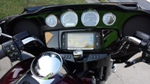
Road Master
Joined: Sep 2006
Posts: 759
Likes: 0
From: Hampton, VA
The only thing I have not been able to successfully do is turn off the voice part of the nav, weather and traffic. It looked like it was one of the preferences on the nav menu, but it didn't turn off. I don't need or want the bike talking to me.
Road Warrior
Joined: Sep 2007
Posts: 1,693
Likes: 17
From: Ontario Canada
Next time she is talking to you quickly turn her volume down to mute if you want. You can also access a menu to turn the gps volume. You need to remember that if you have a route planned on the gps your sound of the radio or thumb drive will cut out while she is giving directions even though you cant hear her as you have the sound turned way down