When you click on links to various merchants on this site and make a purchase, this can result in this site earning a commission. Affiliate programs and affiliations include, but are not limited to, the eBay Partner Network.
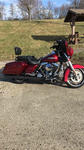
I kept forgetting to thank everyone for the help with the PSM install and setup. I figured I'd post a pic with it in my 2010 in case someone else wants to use it with a stock head unit.
After playing with the ARC software a bit it really seems easy to use and figure out. The only thing I am still confused about is the Outputs tab. I know it changes the volume of the outputs but there are a couple of other placed in the software that do that as well! Maybe I am getting input gain and output level mixed up, I don't know. I do like what it is capable of doing in such a small package though. It isn't much bigger than my old line driver and it has that functionality built in as well!
Once I got it wedged in there I used a right angle micro USB plug cable wrapped in Tesa tape so I would have something to wire tie to the mounting hole with and then just ran the USB cable down the clutch cable at the steering neck. It's out of the way but still easy to attach a USB extension cable from the PC to. There is so much stuff packed into that fairing I'd literally have to draw a block diagram to recall everything, but it works pretty good.
I kept forgetting to thank everyone for the help with the PSM install and setup. I figured I'd post a pic with it in my 2010 in case someone else wants to use it with a stock head unit.
After playing with the ARC software a bit it really seems easy to use and figure out. The only thing I am still confused about is the Outputs tab. I know it changes the volume of the outputs but there are a couple of other placed in the software that do that as well! Maybe I am getting input gain and output level mixed up, I don't know. I do like what it is capable of doing in such a small package though. It isn't much bigger than my old line driver and it has that functionality built in as well!
Once I got it wedged in there I used a right angle micro USB plug cable wrapped in Tesa tape so I would have something to wire tie to the mounting hole with and then just ran the USB cable down the clutch cable at the steering neck. It's out of the way but still easy to attach a USB extension cable from the PC to. There is so much stuff packed into that fairing I'd literally have to draw a block diagram to recall everything, but it works pretty good.
7 Surprising Harley-Davidson Products that Are Not Motorcycles
Slideshow: The bar-and-shield logo shows up on far more than motorcycles, some of the company's most unexpected products have nothing to do with riding.
Slideshow: From the troubled AMF years to modern misfires, these bikes earned reputations for reliability issues, questionable engineering, or disappointing performance.
Crazy Bunderbike Build Looks Amazing, But Is It Impossible to Ride?
Slideshow: The Swiss custom shop has taken a Harley Softail and stretched it into something so long and low that it looks closer to a rolling sculpture than a conventional motorcycle.
Engraved Rebellion: Inside Bundnerbike's Glam Rock II
Slideshow: A standard cruiser becomes an intricate metal canvas in the hands of a Swiss custom house known for pushing Harley-Davidson platforms far beyond their factory brief.
Slideshow: Harley-Davidson's challenges aren't abstract; they show up in dropping shipments, shrinking dealer traffic, and strategic decisions that aren't yet translating into growth.







 Many thanks