



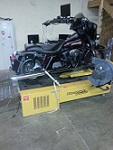



Truth in dyno

Outstanding HDF Member
Joined: Feb 2009
Posts: 2,005
Likes: 53
From: ID Ho

Thats a new one to me also. Iam looking at the SEST software on my laptop but dont have a bike to plug into at home using SEST. I dont see the tabs you guys are talking about. One says under tool box and the other says under the tuning fork, but I dont see it.

Member
Joined: Jul 2009
Posts: 4,310
Likes: 1,079
Just to clarify. Once the software is open and you're past the disclaimer, you'll need to click on the "Tuning Fork" icon on the top menu bar. Once you click on this icon a new window will open. There will be a white screen in the middle of this new window with 2 tabs above it. One tab will say "Stored Calibration". This tab is the default that the software opens to and generally points to wherever you have stored your various tuning maps.
Next to the "Stored Calibration" tab is is a second tab labeled "VCI". Click on this tab and you'll see a new field with a button at the bottom labeled "Load From VCI". If you're not hooked up to the VCI, the button will be grayed out but you can still see it.
If you're computer is hooked up to the VCI AND the bike AND the main ignition switch is "ON" AND the hand control switch is in the "ON" position, then the "Load From VCI" button will become activated.
At this point you can click the button and whatever map is currently stored on the VCI will be downloaded to your computer. Once you've opened the file you can save it to your computer using the "Save As" function. Once its saved to your computer you can modify the map, rename it or do anything you want. My recommendation is to save 2 copies. One that's untouched as a backup and the other to be modified as needed.
Essentially any map on the bike that has been saved to the VCI can be pulled off the VCI by anyone with a copy of the 2010 SEST software so long as they have the bike AND the VCI that is mated to that bike.

Cruiser
Joined: Jan 2007
Posts: 154
Likes: 1
From: Louisiana

On my 2010 SE Ultra with the 2010 SE SuperTuner, I was able to download the map that was on the bike and save it as a different file and make any and all changes to the file.
To download the file from the bike it's a simple matter of connecting the VCI to the bike. Have the software up and running. Turn the main ignition switch to "ON" and the right hand control switch to the "ON" position.
In the software, open the "tuning fork" tab. Then click the "VCI" tab. Then click "Load from VCI". The software will then download the current map that's on the VCI to your computer.
If this was a map created by a tuner or from any other source, you will now have the map downloaded to your computer. Once its been downloaded, you can "Save as" the map and store it as a duplicate to be modified however you wish or just to keep as a backup.
Unlike the SERT, the 2010 SEST absolutely allows you to download the existing map that's running on the bike so long as its still on the mated VCI. I've personally done it this week after my bike was tuned by the dealer.
To download the file from the bike it's a simple matter of connecting the VCI to the bike. Have the software up and running. Turn the main ignition switch to "ON" and the right hand control switch to the "ON" position.
In the software, open the "tuning fork" tab. Then click the "VCI" tab. Then click "Load from VCI". The software will then download the current map that's on the VCI to your computer.
If this was a map created by a tuner or from any other source, you will now have the map downloaded to your computer. Once its been downloaded, you can "Save as" the map and store it as a duplicate to be modified however you wish or just to keep as a backup.
Unlike the SERT, the 2010 SEST absolutely allows you to download the existing map that's running on the bike so long as its still on the mated VCI. I've personally done it this week after my bike was tuned by the dealer.
Outstanding HDF Member
Joined: Feb 2009
Posts: 2,005
Likes: 53
From: ID Ho
I just went into the software and you don't need to be hooked up to the VCI to see the tabs or screens I referred to in the previous post.
Just to clarify. Once the software is open and you're past the disclaimer, you'll need to click on the "Tuning Fork" icon on the top menu bar. Once you click on this icon a new window will open. There will be a white screen in the middle of this new window with 2 tabs above it. One tab will say "Stored Calibration". This tab is the default that the software opens to and generally points to wherever you have stored your various tuning maps.
Next to the "Stored Calibration" tab is is a second tab labeled "VCI". Click on this tab and you'll see a new field with a button at the bottom labeled "Load From VCI". If you're not hooked up to the VCI, the button will be grayed out but you can still see it.
If you're computer is hooked up to the VCI AND the bike AND the main ignition switch is "ON" AND the hand control switch is in the "ON" position, then the "Load From VCI" button will become activated.
At this point you can click the button and whatever map is currently stored on the VCI will be downloaded to your computer. Once you've opened the file you can save it to your computer using the "Save As" function. Once its saved to your computer you can modify the map, rename it or do anything you want. My recommendation is to save 2 copies. One that's untouched as a backup and the other to be modified as needed.
Essentially any map on the bike that has been saved to the VCI can be pulled off the VCI by anyone with a copy of the 2010 SEST software so long as they have the bike AND the VCI that is mated to that bike.
Just to clarify. Once the software is open and you're past the disclaimer, you'll need to click on the "Tuning Fork" icon on the top menu bar. Once you click on this icon a new window will open. There will be a white screen in the middle of this new window with 2 tabs above it. One tab will say "Stored Calibration". This tab is the default that the software opens to and generally points to wherever you have stored your various tuning maps.
Next to the "Stored Calibration" tab is is a second tab labeled "VCI". Click on this tab and you'll see a new field with a button at the bottom labeled "Load From VCI". If you're not hooked up to the VCI, the button will be grayed out but you can still see it.
If you're computer is hooked up to the VCI AND the bike AND the main ignition switch is "ON" AND the hand control switch is in the "ON" position, then the "Load From VCI" button will become activated.
At this point you can click the button and whatever map is currently stored on the VCI will be downloaded to your computer. Once you've opened the file you can save it to your computer using the "Save As" function. Once its saved to your computer you can modify the map, rename it or do anything you want. My recommendation is to save 2 copies. One that's untouched as a backup and the other to be modified as needed.
Essentially any map on the bike that has been saved to the VCI can be pulled off the VCI by anyone with a copy of the 2010 SEST software so long as they have the bike AND the VCI that is mated to that bike.

Tourer
Joined: Sep 2009
Posts: 276
Likes: 0
From: Tampa Fl
Eye opener
Being a dyno tuner it troubles me to see some of your printouts posted on here. Their are different units of measure to measure horse power and torque. The main 2 I see here is STD and SAE. STD is a unit that is used over in Europe and is about 2 - 3% higher than SAE (which is how we measure H.P. in the States). So if your printout says STD smoothing anywhere on it, and you live in the states, than your tuner is giving you false info. There is only 2 reasons I can think of that tuners would do this, 1 is that they just don't know any better and 2 is that they are trying to have higher #'s to make them look better. The other thing that bugs me is some of the A/F lines I see, or lack of. Bottom line is, if they can't read your A/F then they CANNOT perform a full tune, if they don't have a 250 dyno, they CANNOT perform a full tune. If they give you a "full tune" and don't show you the A/F calibration then they are hiding something. If you do have the A/F on your printout, it should be relatively a straight line, at around 13.2 : 1. Anything below that line is rich and anything above it is lean. That's NOT where your bike is running, (when you get it back) that is just where it is calibrated. Your Dyno lines should be smooth, when they get real wavy, usually at higher RPM's then your timing is probably off.
I have seen many posters on here that attempt to tune there own bikes off of their dyno printout, It can't be done properly. Your printout is only showing 1 cylinder at full throttle, it might me totally different at other throttle positions, so if your printout shows your bike is running rich at 2500 RPM's and you decide to lean it out a little across the board, guess what? Your bike might of already been lean at cruising and you just leaned it out more.
I have seen many posters on here that attempt to tune there own bikes off of their dyno printout, It can't be done properly. Your printout is only showing 1 cylinder at full throttle, it might me totally different at other throttle positions, so if your printout shows your bike is running rich at 2500 RPM's and you decide to lean it out a little across the board, guess what? Your bike might of already been lean at cruising and you just leaned it out more.
Thanks for the info, I need to spread it now.
I just went into the software and you don't need to be hooked up to the VCI to see the tabs or screens I referred to in the previous post.
Just to clarify. Once the software is open and you're past the disclaimer, you'll need to click on the "Tuning Fork" icon on the top menu bar. Once you click on this icon a new window will open. There will be a white screen in the middle of this new window with 2 tabs above it. One tab will say "Stored Calibration". This tab is the default that the software opens to and generally points to wherever you have stored your various tuning maps.
Next to the "Stored Calibration" tab is is a second tab labeled "VCI". Click on this tab and you'll see a new field with a button at the bottom labeled "Load From VCI". If you're not hooked up to the VCI, the button will be grayed out but you can still see it.
If you're computer is hooked up to the VCI AND the bike AND the main ignition switch is "ON" AND the hand control switch is in the "ON" position, then the "Load From VCI" button will become activated.
At this point you can click the button and whatever map is currently stored on the VCI will be downloaded to your computer. Once you've opened the file you can save it to your computer using the "Save As" function. Once its saved to your computer you can modify the map, rename it or do anything you want. My recommendation is to save 2 copies. One that's untouched as a backup and the other to be modified as needed.
Essentially any map on the bike that has been saved to the VCI can be pulled off the VCI by anyone with a copy of the 2010 SEST software so long as they have the bike AND the VCI that is mated to that bike.
Just to clarify. Once the software is open and you're past the disclaimer, you'll need to click on the "Tuning Fork" icon on the top menu bar. Once you click on this icon a new window will open. There will be a white screen in the middle of this new window with 2 tabs above it. One tab will say "Stored Calibration". This tab is the default that the software opens to and generally points to wherever you have stored your various tuning maps.
Next to the "Stored Calibration" tab is is a second tab labeled "VCI". Click on this tab and you'll see a new field with a button at the bottom labeled "Load From VCI". If you're not hooked up to the VCI, the button will be grayed out but you can still see it.
If you're computer is hooked up to the VCI AND the bike AND the main ignition switch is "ON" AND the hand control switch is in the "ON" position, then the "Load From VCI" button will become activated.
At this point you can click the button and whatever map is currently stored on the VCI will be downloaded to your computer. Once you've opened the file you can save it to your computer using the "Save As" function. Once its saved to your computer you can modify the map, rename it or do anything you want. My recommendation is to save 2 copies. One that's untouched as a backup and the other to be modified as needed.
Essentially any map on the bike that has been saved to the VCI can be pulled off the VCI by anyone with a copy of the 2010 SEST software so long as they have the bike AND the VCI that is mated to that bike.
__________________

Jamie Long / Fuel Moto USA
The USA's Leader V-Twin EFI & Performance www.fuelmotousa.com
Contact 920-423-3309
Email jamie@fuelmotousa.com
Jamie Long / Fuel Moto USA
The USA's Leader V-Twin EFI & Performance www.fuelmotousa.com
Contact 920-423-3309
Email jamie@fuelmotousa.com

Outstanding HDF Member
Joined: Jun 2007
Posts: 2,542
Likes: 2
From: Cocoa Beach, Florida
HD Forum Stories
The Best of Harley-Davidson for Lifelong Riders

7 Surprising Harley-Davidson Products that Are Not Motorcycles
Verdad Gallardo
8 Best Harley-Davidson Motorcycles Ever
Pouria Savadkouei
10 Worst Harley-Davidson Motorcycles Ever
Pouria Savadkouei
Killer Custom's Jail Break Is The Breakout That Refused to Blend In
Verdad Gallardo
Crazy Bunderbike Build Looks Amazing, But Is It Impossible to Ride?
Verdad Gallardo
Harley-Davidson Reveals Super Cool Cafe Racer Concept
Verdad Gallardo
Engraved Rebellion: Inside Bundnerbike's Glam Rock II
Verdad Gallardo
10 Motorcycles You Should Never Buy
Joe Kucinski
10 Things Harley-Davidson Needs to Fix in 2026
Verdad Gallardo
Road Warrior


Joined: Apr 2009
Posts: 1,258
Likes: 114
From: Jackson, Ohio
You can try 13.2 but on some of the higher compression builds you may see detonation at higher rpms if it is that lean. Removing timing when it needs more fuel makes for an unhappy motorcycle. Your graph lines will not be smooth.
My 13.2 to 1 dyno tune had my engine knocking like a wood pecker.
Ran great while they had the knock feature disabled on the dyno then they turned if on before they gave it back to me and it ran like crap. I wonder how much engine damage was done during the 60 miles of dyno tuning that day???
Both tuners that have touched my bike also tuned my engine with the wrong timing tables. You would think they know that a 260 HD cam has a .609 lift and use a base map that starts with timing tables available for that cam as well as what size TB & the cubic inch are you using!
I'd bet there are not 10 tuners across the states that know how to really tune a bike that has more than an a/c and small cams installed.
One tuner focuses on air to fuel and another on max hp & tq but none I have seen ask what compression are you running, do you ride two up, what kind of fuel do you use, did you change gearing, do you ride the freeway a lot, etc.
End of rant!
Tourer
Joined: Sep 2009
Posts: 276
Likes: 0
From: Tampa Fl
I learned a lot from this post.
Being a dyno tuner it troubles me to see some of your printouts posted on here. Their are different units of measure to measure horse power and torque. The main 2 I see here is STD and SAE. STD is a unit that is used over in Europe and is about 2 - 3% higher than SAE (which is how we measure H.P. in the States). So if your printout says STD smoothing anywhere on it, and you live in the states, than your tuner is giving you false info. There is only 2 reasons I can think of that tuners would do this, 1 is that they just don't know any better and 2 is that they are trying to have higher #'s to make them look better. The other thing that bugs me is some of the A/F lines I see, or lack of. Bottom line is, if they can't read your A/F then they CANNOT perform a full tune, if they don't have a 250 dyno, they CANNOT perform a full tune. If they give you a "full tune" and don't show you the A/F calibration then they are hiding something. If you do have the A/F on your printout, it should be relatively a straight line, at around 13.2 : 1. Anything below that line is rich and anything above it is lean. That's NOT where your bike is running, (when you get it back) that is just where it is calibrated. Your Dyno lines should be smooth, when they get real wavy, usually at higher RPM's then your timing is probably off.
I have seen many posters on here that attempt to tune there own bikes off of their dyno printout, It can't be done properly. Your printout is only showing 1 cylinder at full throttle, it might me totally different at other throttle positions, so if your printout shows your bike is running rich at 2500 RPM's and you decide to lean it out a little across the board, guess what? Your bike might of already been lean at cruising and you just leaned it out more.
I have seen many posters on here that attempt to tune there own bikes off of their dyno printout, It can't be done properly. Your printout is only showing 1 cylinder at full throttle, it might me totally different at other throttle positions, so if your printout shows your bike is running rich at 2500 RPM's and you decide to lean it out a little across the board, guess what? Your bike might of already been lean at cruising and you just leaned it out more.

Thread
Thread Starter
Forum
Replies
Last Post
