


Posting Big Pics???

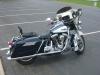




I cant even figure out how to post a small picture

Thread Starter
|
Tourer
Joined: Nov 2008
Posts: 338
Likes: 8
From: Cali
bpav16 here:

Hey dredy2g if you insert your image address in the box that pops up after you click this icon I have above.(it's in your reply menu bar) it will automatically write the code for you. I think you are trying to type it manually and adding too many img's in the line. Try it out.
The thread will help you... here is some stuff to read. Open Photo Bucket account to store your pics.
http://photobucket.com/
To upload smaller pics (less than 96kb) use the Manage Attachments icon in the thread response page.
1) Resize your pics to 600x450 (just a common size that's used alot here)
2) Set up a photobucket page & save your pics there
3) Copy your photobucket pic url (this will show up underneath your pic once you've uploaded it to your photobucket page)
4) Paste this url in your H-D Forums message box & type [img] at the beggining of the address & [/img] at the end of it. Then click "preview post" to see if it worked correctly.
This should do the trick if done correctly. Sounds like alot of steps but it's really not once you've gotten used to it. Hope this helps.
2) Set up a photobucket page & save your pics there
3) Copy your photobucket pic url (this will show up underneath your pic once you've uploaded it to your photobucket page)
4) Paste this url in your H-D Forums message box & type [img] at the beggining of the address & [/img] at the end of it. Then click "preview post" to see if it worked correctly.
This should do the trick if done correctly. Sounds like alot of steps but it's really not once you've gotten used to it. Hope this helps.
Hey dredy2g if you insert your image address in the box that pops up after you click this icon I have above.(it's in your reply menu bar) it will automatically write the code for you. I think you are trying to type it manually and adding too many img's in the line. Try it out.
I just tried it, this pic I shrunk:

This one I cropped:

Select the picture you want, on top of the pic will be a menu of options. Select the editing you want to do. Then the edit screen comes up do your work to the pic. After you are done editing on the bottom of the screen it will have three buttons to push: Cancel, Save a Copy, and Replace Original. Save a copy will save the original pic and the modified pic to your library. Replace original will save over the original pic. After you have selected what you want to do, go back to your library and select the modified pic, copy the URL and paste in the insert image box in the response thread like normal.
Whoops maybe I should not have deleted the pics from photo bucket so you could see them... But I think this should help.
This one I cropped:
Select the picture you want, on top of the pic will be a menu of options. Select the editing you want to do. Then the edit screen comes up do your work to the pic. After you are done editing on the bottom of the screen it will have three buttons to push: Cancel, Save a Copy, and Replace Original. Save a copy will save the original pic and the modified pic to your library. Replace original will save over the original pic. After you have selected what you want to do, go back to your library and select the modified pic, copy the URL and paste in the insert image box in the response thread like normal.
Whoops maybe I should not have deleted the pics from photo bucket so you could see them...
But I think this should help.http://photobucket.com/
To upload smaller pics (less than 96kb) use the Manage Attachments icon in the thread response page.

Thread
Thread Starter
Forum
Replies
Last Post









