


Custom Dynamics Integrated brake light install(pics)


Thread Starter
|
Intermediate
Joined: Jan 2013
Posts: 28
Likes: 0
From: Atlanta
 Custom Dynamics Integrated brake light install(pics)
I just received my Custom Dynamics brake light and thought I would document the install. Installing the brake light took all of 15 Mins.
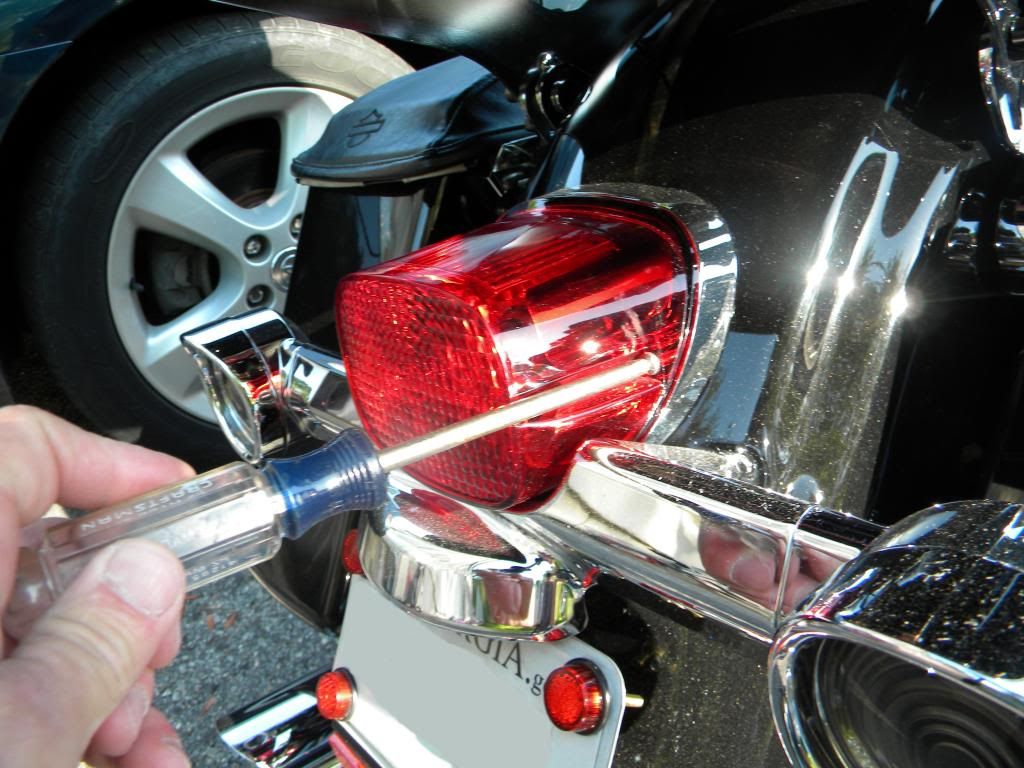
First remove your current brake light. A medium philips will do the job
Next disconnect the brake light connector
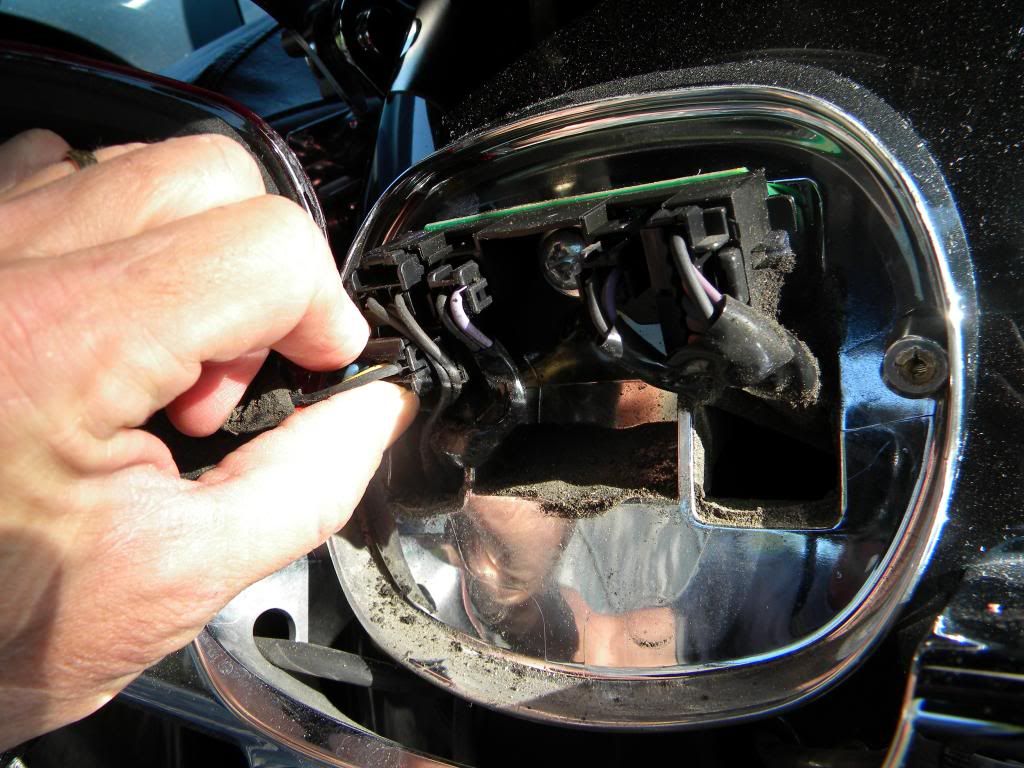
I installed the integrated brake light with turn signals. Remove the turn signal connectors. A small flat blade screw driver can be used to push the tab down. Be careful not to break the connector.
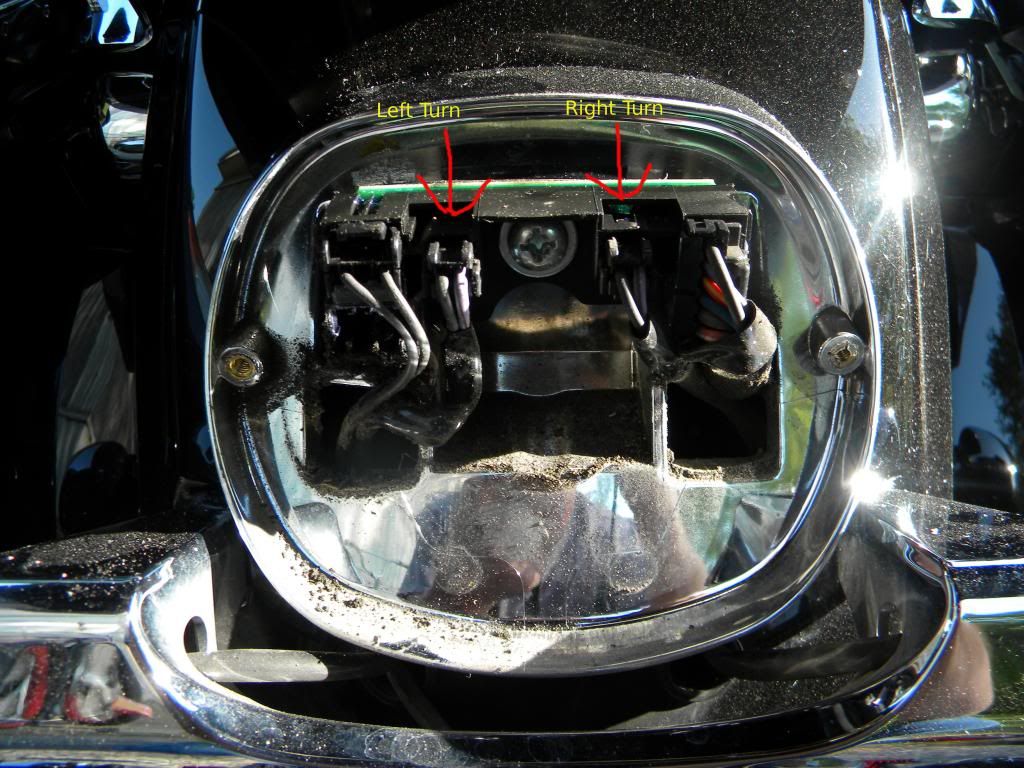
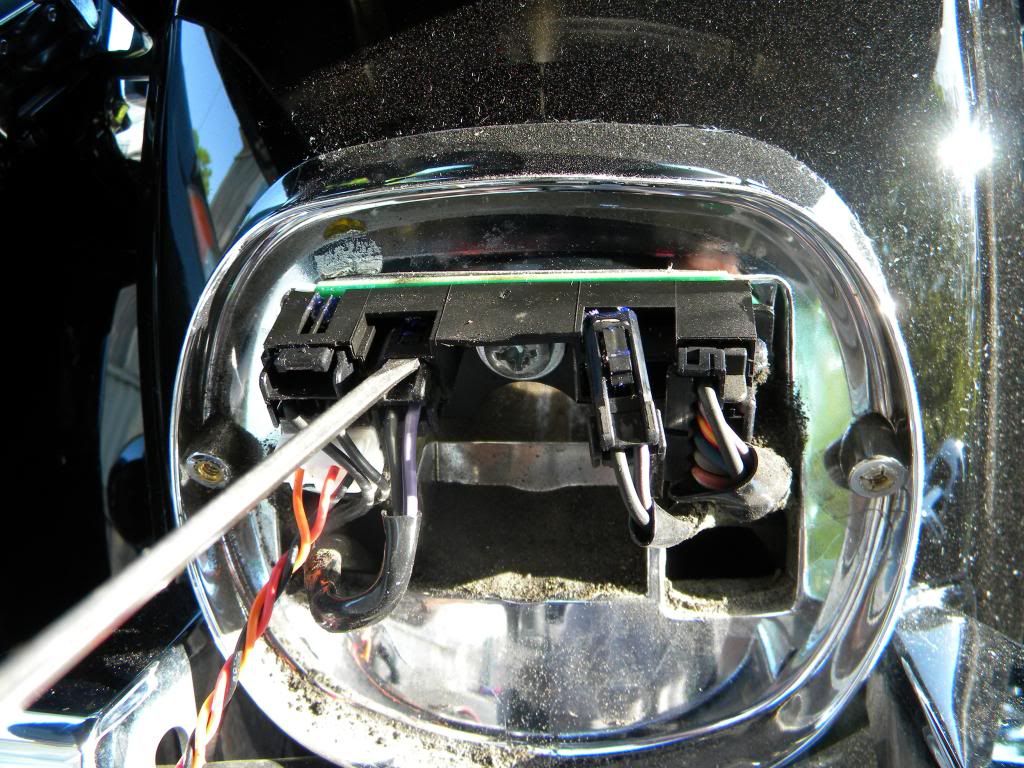
Next plug in the brake light connector
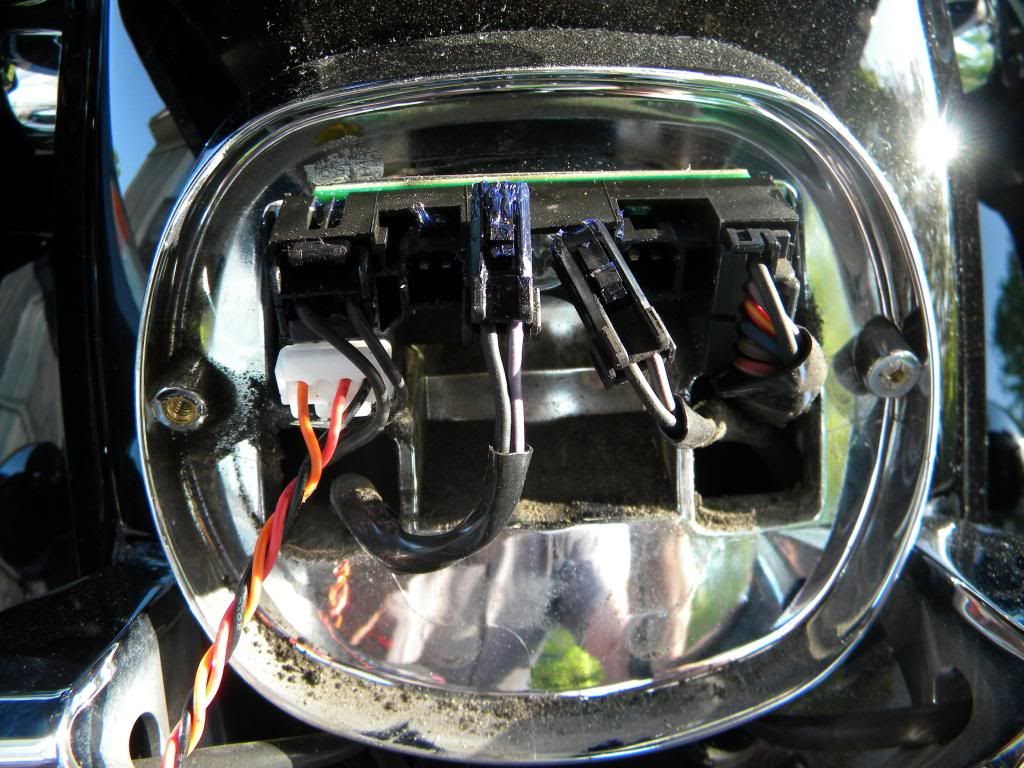
Next plugin the turn signal wire. Purple for left and brown for right.
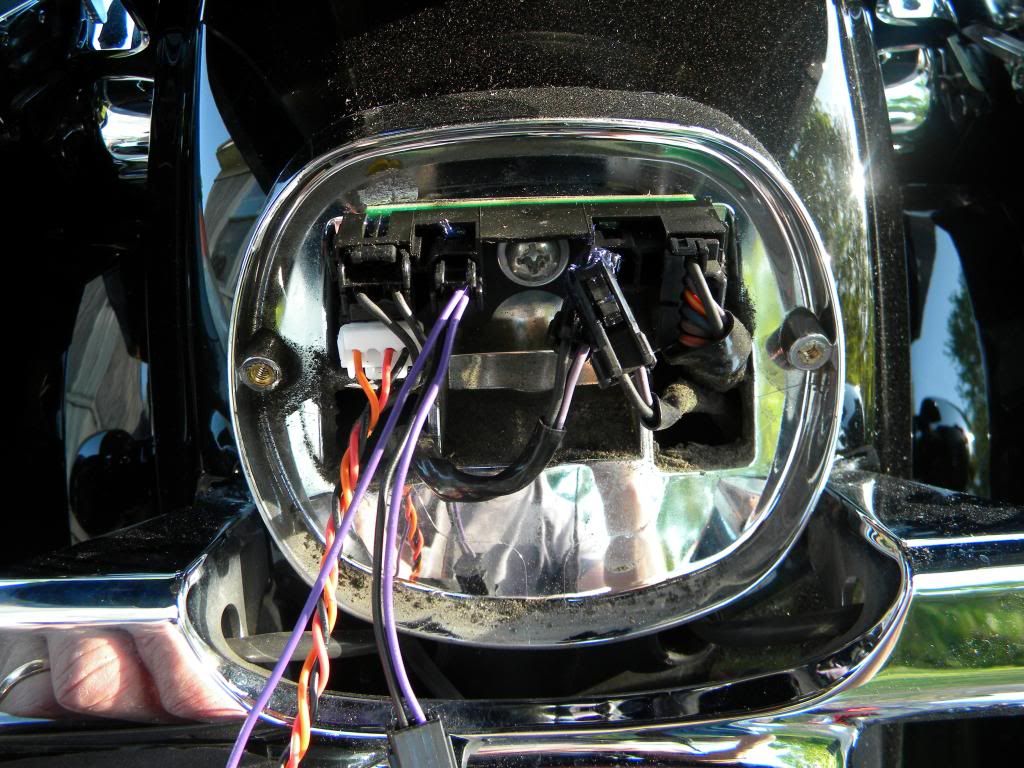
Then plug the turn signal wire into the pigtail pass through lead.
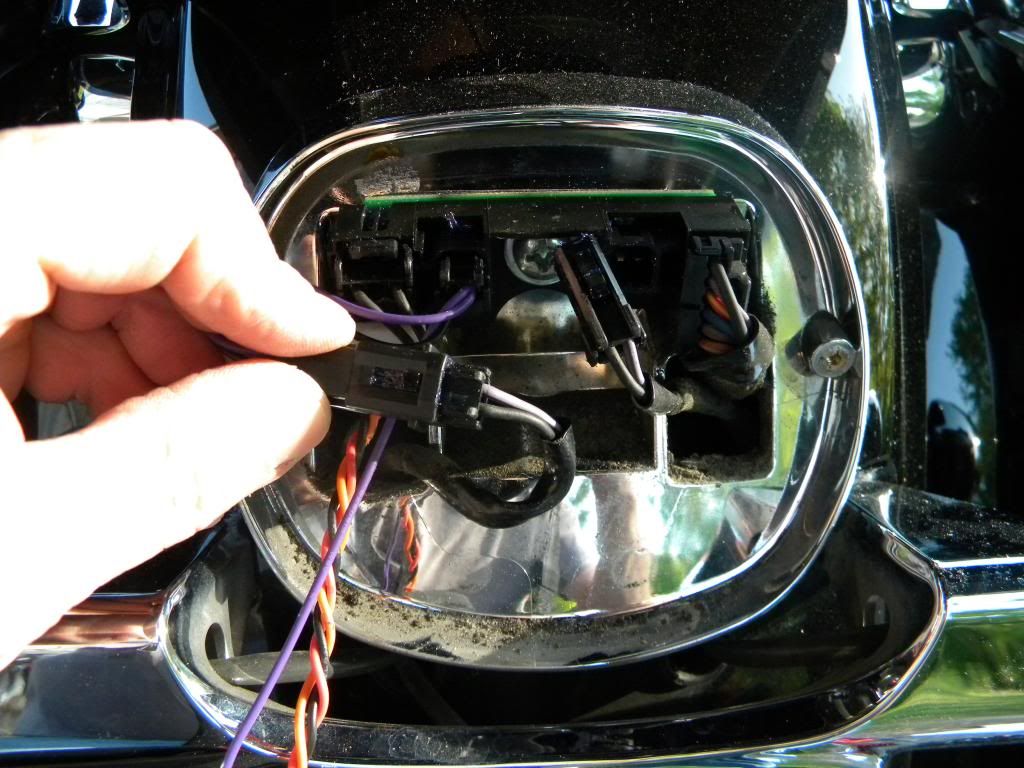
Do the same for the right turn signal.
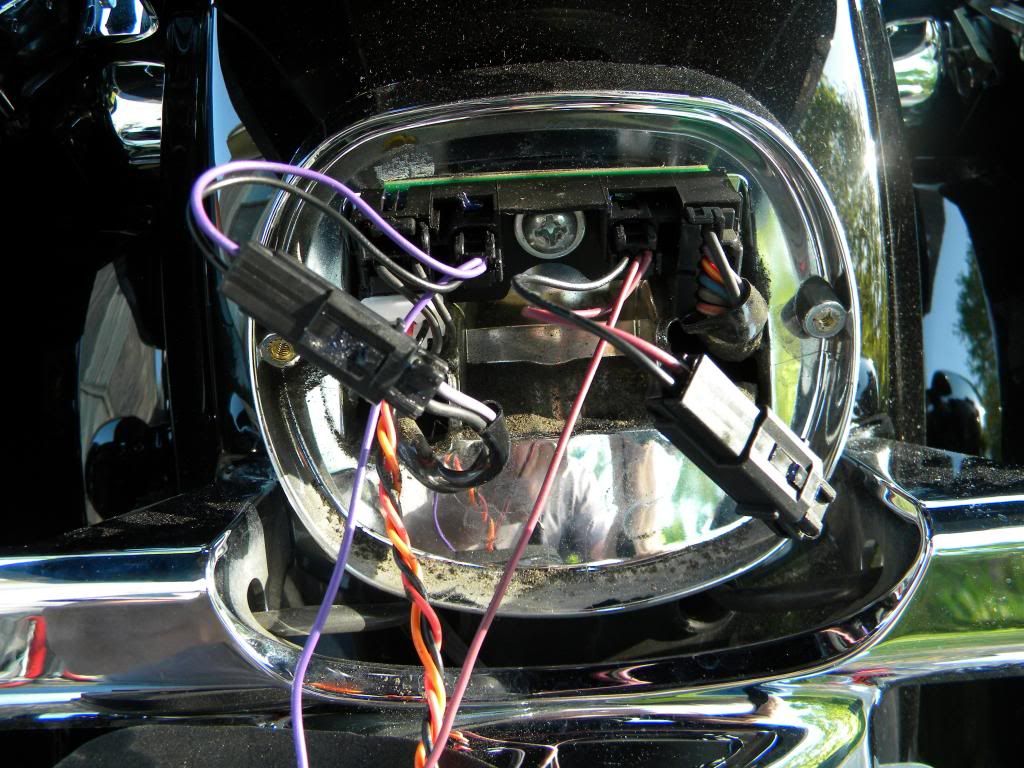
Tuck the wires in neatly and install the brake light. Be careful not over tighten the screws as you can crack the brake light. Then test and you are ready to go.
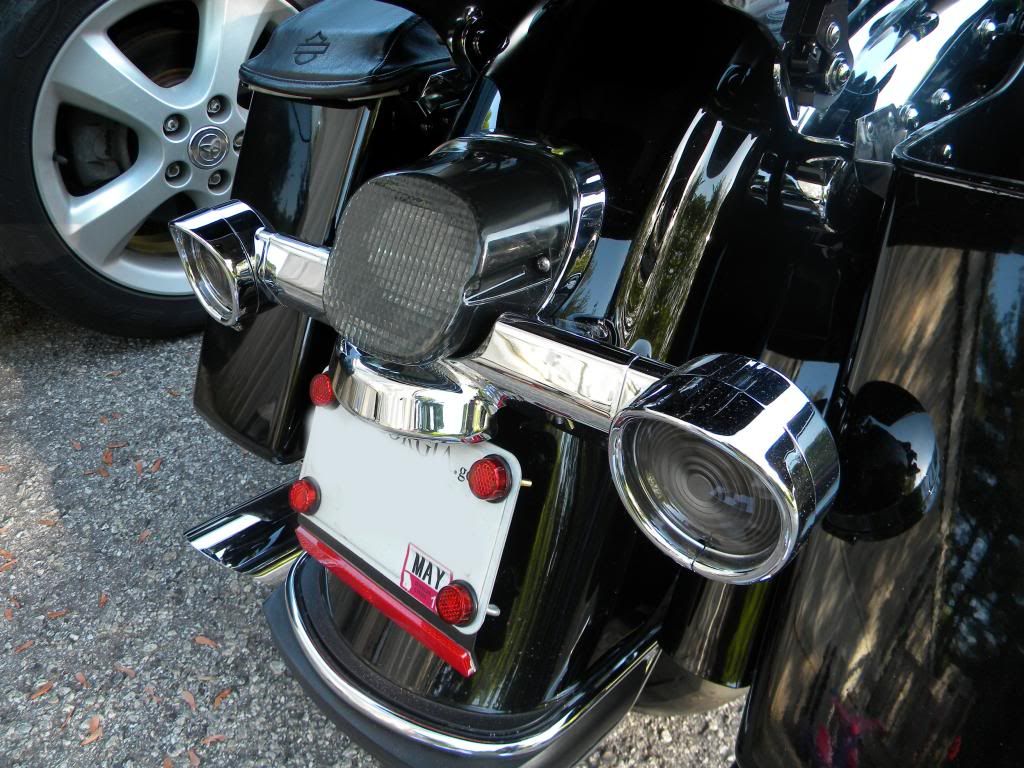
I really like the look of the smoked laydown light with my smoked turn signals.
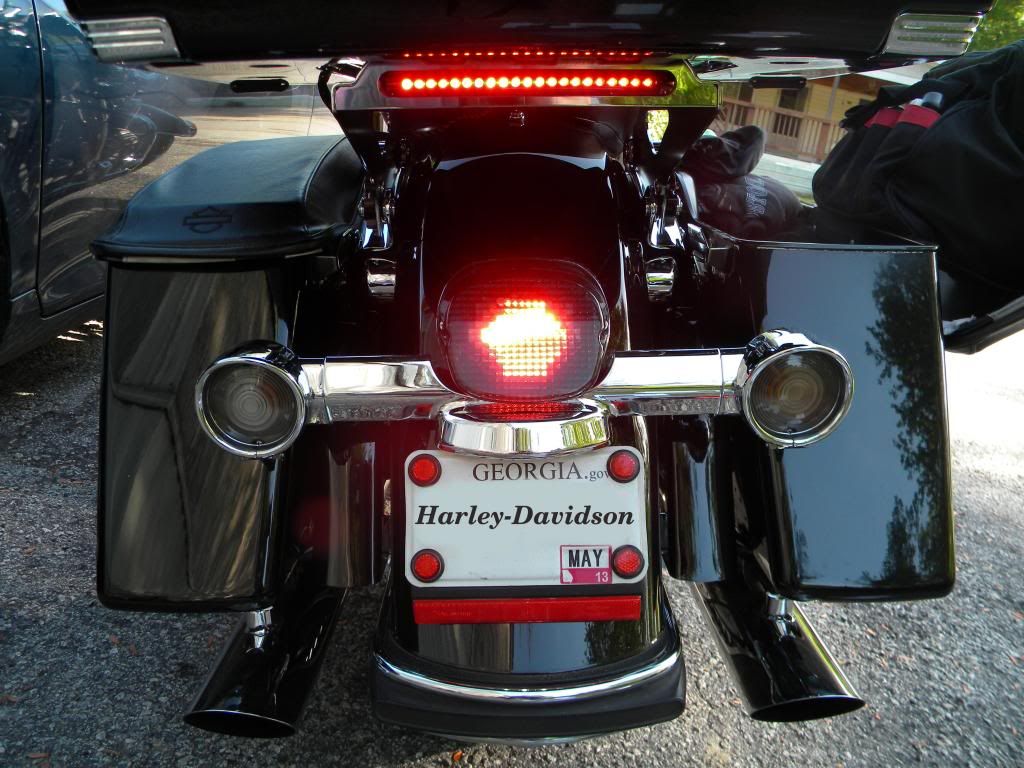
I also added the Custom Dynamics brake light below my tour pak. I have the HD tour pak brake light/spoiler on top of my tour pak. Do you think the idiots will be able to see me?
I made a youtube video but I can't seem to figure out how to add it to this post. These lights are very bright. I am happy with the install.
CJ
First remove your current brake light. A medium philips will do the job
Next disconnect the brake light connector
I installed the integrated brake light with turn signals. Remove the turn signal connectors. A small flat blade screw driver can be used to push the tab down. Be careful not to break the connector.
Next plug in the brake light connector
Next plugin the turn signal wire. Purple for left and brown for right.
Then plug the turn signal wire into the pigtail pass through lead.
Do the same for the right turn signal.
Tuck the wires in neatly and install the brake light. Be careful not over tighten the screws as you can crack the brake light. Then test and you are ready to go.
I really like the look of the smoked laydown light with my smoked turn signals.
I also added the Custom Dynamics brake light below my tour pak. I have the HD tour pak brake light/spoiler on top of my tour pak. Do you think the idiots will be able to see me?
I made a youtube video but I can't seem to figure out how to add it to this post. These lights are very bright. I am happy with the install.
CJ

Thread
Thread Starter
Forum
Replies
Last Post









