When you click on links to various merchants on this site and make a purchase, this can result in this site earning a commission. Affiliate programs and affiliations include, but are not limited to, the eBay Partner Network.
So i have a bunch of music on my USB drive and I have it plugged into the c port in the drawer. It has always played all my songs in Alphabetical order. Now all of a sudden it only plays a few songs and I can't find my whole list. Anyone have information on how I can play all my songs in Alphabetical order again?
Also when I do have the music playing and it seems like it always wants to connect to my Bluetooth for Pandora. How do I stop that? Thanks for all the replies
Last edited by davey019; Jul 12, 2025 at 10:21 AM.
You might have a corrupted USB drive.. Plug it in to your home computer and right click on the drive letter. Choose Properties -> Tools -> Check. That will let you know if there are any errors and hopefully fix them.
Or..
You might have accidentally activated the 'random play' function. Tap the icon in the image below. It will toggle between 'play randomly' and 'play songs in order'. (I think the image below shows the player is in the random setting)..
Awe. That icon. Yes I pressed it and now it's random and all my songs are coming up. Don't know how i had it in Alphabetical order before but atleast this gives me all my music back
Awe. That icon. Yes I pressed it and now it's random and all my songs are coming up. Don't know how i had it in Alphabetical order before but atleast this gives me all my music back
How do you have your USB stick set up and how are you accessing the songs through the IFCU player? When you select the bike's USB player, you get a menu asking how you want to call up the songs (By artist, album, song, playlist etc.. see below).
If you just have a bunch of songs with no playlists or folders on the stick, then selecting 'Song' from the menu should show you a list of all the songs on your memory stick in alphabetical order. Click on the fist one and and it should play that song and then all the others following that in alphabetical order. Unless you have the random icon set, then they'll be mixed up.
Yes I did try this but for some reason when I didn't have the cross selected it woukd only played certain songs. Now what I have the cross selected it has all my songs and playing them in a random order
If I am listening to either the USB connection or the radio, and I have a blue tooth connection to my phone, whenever I get an alert on my phone the infotainment system shifts over to the blue tooth connection and I have to switch it back. I have not yet found a way to stop this.
Well, I do not have to worry about it anymore. All the music I had I was putting into folders on my laptop and accidentally hit reformat and lost all my music
7 Surprising Harley-Davidson Products that Are Not Motorcycles
Slideshow: The bar-and-shield logo shows up on far more than motorcycles, some of the company's most unexpected products have nothing to do with riding.
Slideshow: From the troubled AMF years to modern misfires, these bikes earned reputations for reliability issues, questionable engineering, or disappointing performance.
Crazy Bunderbike Build Looks Amazing, But Is It Impossible to Ride?
Slideshow: The Swiss custom shop has taken a Harley Softail and stretched it into something so long and low that it looks closer to a rolling sculpture than a conventional motorcycle.
Engraved Rebellion: Inside Bundnerbike's Glam Rock II
Slideshow: A standard cruiser becomes an intricate metal canvas in the hands of a Swiss custom house known for pushing Harley-Davidson platforms far beyond their factory brief.
Slideshow: Harley-Davidson's challenges aren't abstract; they show up in dropping shipments, shrinking dealer traffic, and strategic decisions that aren't yet translating into growth.







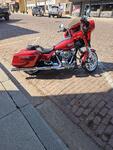


 Music on USB disappearing