




Rushmore stereo help

Thread Starter
|
Road Captain
Joined: Aug 2006
Posts: 707
Likes: 38
 Rushmore stereo help
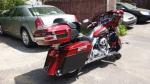
Hey guys I have a 14 SGS that I installed amps and speakers in. After advice from this forum I went with a set of focal K2 165 KRC's powered by a cerwin vega B52 amp. I also used the biketronics brackets with their line levelers and dynomatted the outer fairing. I adjusted the gains on the amp with a DVM. The line levelers are set at the 12 o'clock position. Overall this setup sounds great and has plenty of volume. The other day while out on a ride I turned it up in a parking lot. First time ever doing this without the engine running. This thing sounds amazing without the bike running but once I start it I lose most of the bass. Is there any way around this? It's currently flashed to 4 speakers 0 amps and I did the factory reset of the infotainment. Is there any other flashes people have had luck with? I have the Diag4bike software so I can do my own flashes if I should try a different one. I'd appreciate any advice you guys can give

Ultimate HDF Member


Joined: Mar 2008
Posts: 5,788
Likes: 203
From: SW Florida
Hey guys I have a 14 SGS that I installed amps and speakers in. After advice from this forum I went with a set of focal K2 165 KRC's powered by a cerwin vega B52 amp. I also used the biketronics brackets with their line levelers and dynomatted the outer fairing. I adjusted the gains on the amp with a DVM. The line levelers are set at the 12 o'clock position. Overall this setup sounds great and has plenty of volume. The other day while out on a ride I turned it up in a parking lot. First time ever doing this without the engine running. This thing sounds amazing without the bike running but once I start it I lose most of the bass. Is there any way around this? It's currently flashed to 4 speakers 0 amps and I did the factory reset of the infotainment. Is there any other flashes people have had luck with? I have the Diag4bike software so I can do my own flashes if I should try a different one. I'd appreciate any advice you guys can give
Club Member

Joined: Aug 2014
Posts: 917
Likes: 95
From: Nashville, TN

The runshmore radios change DSP signal output (bin file) when you start the bike. Nothing you can do about that that you don't have in place. And keep in mind the Focals are a higher-punchier sound than most. Meaning don't expect much bass from them although properly set up they will more than sound great!! You will always have more bass sitting. Go ahead and update to the newest software 1.20. You get all the advantages the update has and almost no DSP changes.
A few questions.
Are you running the amp in in high pass or full?
What's your crossover on the amp set at?
Did you adjust the line leveler or use it as it came?
Do you have avc active? Auto volume control under radio setup
Only two speakers?
How do you have the amp wired to the speakers?
What's the bass-treble set at on the radio?
Get me some answers, and have a little patience and we can get you where you will be happy
Last edited by tesnevo; Oct 17, 2016 at 08:38 PM.
Thread Starter
|
Road Captain
Joined: Aug 2006
Posts: 707
Likes: 38
Originally Posted by tesnevo
Those will be because you have it flashed no amp. Won't hurt a thing, ignore it. The system is looking for something that's not there.
The runshmore radios change DSP signal output (bin file) when you start the bike. Nothing you can do about that that you don't have in place. And keep in mind the Focals are a higher-punchier sound than most. Meaning don't expect much bass from them although properly set up they will more than sound great!! You will always have more bass sitting. Go ahead and update to the newest software 1.20. You get all the advantages the update has and almost no DSP changes.
A few questions.
Are you running the amp in in high pass or full?
What's your crossover on the amp set at?
Did you adjust the line leveler or use it as it came?
Do you have avc active? Auto volume control under radio setup
Only two speakers?
How do you have the amp wired to the speakers?
What's the bass-treble set at on the radio?
Get me some answers, and have a little patience and we can get you where you will be happy
The runshmore radios change DSP signal output (bin file) when you start the bike. Nothing you can do about that that you don't have in place. And keep in mind the Focals are a higher-punchier sound than most. Meaning don't expect much bass from them although properly set up they will more than sound great!! You will always have more bass sitting. Go ahead and update to the newest software 1.20. You get all the advantages the update has and almost no DSP changes.
A few questions.
Are you running the amp in in high pass or full?
What's your crossover on the amp set at?
Did you adjust the line leveler or use it as it came?
Do you have avc active? Auto volume control under radio setup
Only two speakers?
How do you have the amp wired to the speakers?
What's the bass-treble set at on the radio?
Get me some answers, and have a little patience and we can get you where you will be happy
The line levelers was at what I would say the 11:45 position out of the box on both dials. I turned them up to dead on 12 o'clock which everything I can find says they should be out of the box. Avc is off. Only the two fairing speakers wired in stereo (positive to positive, negative to negative using two channels- I've been out of the game for a while wanna make sure my terminology is right lol).
Bass is at 4 bars past center(didn't realize I had it up that high) and treble is 4 bars up from zero. I set the gains using a DVM to 24.49 following the write up that ultranutz did (can't find that again).
It doesn't sound bad by any means, but there is just so much more bass without the engine running. It sounds so much cleaner. I'm not looking to rattle window with it but good clean sound should be attainable. Also I listen to rock (Ozzie Metallica motley crude etc)
There's no real distortion that I can detect on the road or with the engine off. I usually don't turn it above half volume on the highway but occasionally go over a little. Can't handle much louder than that.
Can I do the update myself or will I need a dealer for that? Thanks for any help.
Last edited by 2deuceguy; Oct 17, 2016 at 10:52 PM.
Ultimate HDF Member
Joined: Mar 2008
Posts: 5,788
Likes: 203
From: SW Florida
cjwanner:
The LL label and arrows are not that accurate. They are set to default before shipping. You will want to set the amp to Full and let the LL do the filtering. I would turn the LL HPF back to 11:45. That should let some more low FQ’s pass through.
Setting the gains using a DMM at 24.4 VAC with a 1K 0dB test tone and volume set to 15 is a good starting point. Bass, Treble and Fade (if you have it) should be all set to Flat as shown below. AVC should be Off and left off. Play a song you are very familiar with to fine tune the gains. You don’t want to go higher thou.
And yes, you can download the software update from the HD site and install it yourself. Click on the Premium Radio tab.
You will want to perform a pre-calibration reset after the upgrade.
The pre-calibration reset will remove all user setting made to the radio/nav and put them back to factory defaults. This will include GPS destination. Here's a good thread with instructions on exporting and importing user created destinations and maps before performing the reset.
The Reset instructions can be found in this Biketronics article.
Update from BT: I wanted to make it known that we did find one drawback to the Reset procedure where if you have the AUX-in P&A accessory, it will remove the aux source choice from the radio. This will then require a trip to the Dealer to turn on the AUX-in source. If the AUX-in accessory is not installed disregard this.
The LL label and arrows are not that accurate. They are set to default before shipping. You will want to set the amp to Full and let the LL do the filtering. I would turn the LL HPF back to 11:45. That should let some more low FQ’s pass through.
Setting the gains using a DMM at 24.4 VAC with a 1K 0dB test tone and volume set to 15 is a good starting point. Bass, Treble and Fade (if you have it) should be all set to Flat as shown below. AVC should be Off and left off. Play a song you are very familiar with to fine tune the gains. You don’t want to go higher thou.
And yes, you can download the software update from the HD site and install it yourself. Click on the Premium Radio tab.
You will want to perform a pre-calibration reset after the upgrade.
The pre-calibration reset will remove all user setting made to the radio/nav and put them back to factory defaults. This will include GPS destination. Here's a good thread with instructions on exporting and importing user created destinations and maps before performing the reset.
The Reset instructions can be found in this Biketronics article.
Update from BT: I wanted to make it known that we did find one drawback to the Reset procedure where if you have the AUX-in P&A accessory, it will remove the aux source choice from the radio. This will then require a trip to the Dealer to turn on the AUX-in source. If the AUX-in accessory is not installed disregard this.
Trending Topics

Ultimate HDF Member
Joined: Mar 2015
Posts: 6,446
Likes: 873
From: TEXAS
When u guys are talking about the LL, just want to make sure that ur talking about the same settings.
When u say the LL was set at 11:45, are u talking gains or HPF?
The gains should be damn close to the 12 o'clock position with the BT Label/Logo pointing up.
As for the HPF settings, those will have lines on them that the arrows should point to.
Agree with Bert in that u should be running full pass on your amp with the LL set properly. And if u do want a touch more of the low freqs in, u can ever so slightly adjust the LL HPF to do so. And when I say ever so slightly I'm talking a hair at a time as they are very sensitive and bad sound can happen fast.
Dynamat & FAST baffles will also warm things up if ur using the BT Fairing Brackets.
T
When u say the LL was set at 11:45, are u talking gains or HPF?
The gains should be damn close to the 12 o'clock position with the BT Label/Logo pointing up.
As for the HPF settings, those will have lines on them that the arrows should point to.
Agree with Bert in that u should be running full pass on your amp with the LL set properly. And if u do want a touch more of the low freqs in, u can ever so slightly adjust the LL HPF to do so. And when I say ever so slightly I'm talking a hair at a time as they are very sensitive and bad sound can happen fast.
Dynamat & FAST baffles will also warm things up if ur using the BT Fairing Brackets.
T
HD Forum Stories
The Best of Harley-Davidson for Lifelong Riders

8 Best Harley-Davidson Motorcycles Ever
Pouria Savadkouei
10 Worst Harley-Davidson Motorcycles Ever
Pouria Savadkouei
Killer Custom's Jail Break Is The Breakout That Refused to Blend In
Verdad Gallardo
Crazy Bunderbike Build Looks Amazing, But Is It Impossible to Ride?
Verdad Gallardo
Harley-Davidson Reveals Super Cool Cafe Racer Concept
Verdad Gallardo
Engraved Rebellion: Inside Bundnerbike's Glam Rock II
Verdad Gallardo
10 Motorcycles You Should Never Buy
Joe Kucinski
10 Things Harley-Davidson Needs to Fix in 2026
Verdad Gallardo
Southpaw Super Glide: A Left-Hand-Drive 1979 Harley FXE Built to Fit the Rider
Verdad Gallardo
Outstanding HDF Member
Joined: Mar 2012
Posts: 2,296
Likes: 39
From: Land of the cold....
my eq is set at 2.41 or something like that..what that mean? I had it flashed per BT recommendations but I dont remember what it was 6 speaker and no amp I believe
Thread Starter
|
Road Captain
Joined: Aug 2006
Posts: 707
Likes: 38
Originally Posted by Bertk
cjwanner:
The LL label and arrows are not that accurate. They are set to default before shipping. You will want to set the amp to Full and let the LL do the filtering. I would turn the LL HPF back to 11:45. That should let some more low FQÂ’s pass through.
Setting the gains using a DMM at 24.4 VAC with a 1K 0dB test tone and volume set to 15 is a good starting point. Bass, Treble and Fade (if you have it) should be all set to Flat as shown below. AVC should be Off and left off. Play a song you are very familiar with to fine tune the gains. You donÂ’t want to go higher thou.
And yes, you can download the software update from the HD site and install it yourself. Click on the Premium Radio tab.
You will want to perform a pre-calibration reset after the upgrade.
The pre-calibration reset will remove all user setting made to the radio/nav and put them back to factory defaults. This will include GPS destination. Here's a good thread with instructions on exporting and importing user created destinations and maps before performing the reset.
The Reset instructions can be found in this Biketronics article.
Update from BT: I wanted to make it known that we did find one drawback to the Reset procedure where if you have the AUX-in P&A accessory, it will remove the aux source choice from the radio. This will then require a trip to the Dealer to turn on the AUX-in source. If the AUX-in accessory is not installed disregard this.
The LL label and arrows are not that accurate. They are set to default before shipping. You will want to set the amp to Full and let the LL do the filtering. I would turn the LL HPF back to 11:45. That should let some more low FQÂ’s pass through.
Setting the gains using a DMM at 24.4 VAC with a 1K 0dB test tone and volume set to 15 is a good starting point. Bass, Treble and Fade (if you have it) should be all set to Flat as shown below. AVC should be Off and left off. Play a song you are very familiar with to fine tune the gains. You donÂ’t want to go higher thou.
And yes, you can download the software update from the HD site and install it yourself. Click on the Premium Radio tab.
You will want to perform a pre-calibration reset after the upgrade.
The pre-calibration reset will remove all user setting made to the radio/nav and put them back to factory defaults. This will include GPS destination. Here's a good thread with instructions on exporting and importing user created destinations and maps before performing the reset.
The Reset instructions can be found in this Biketronics article.
Update from BT: I wanted to make it known that we did find one drawback to the Reset procedure where if you have the AUX-in P&A accessory, it will remove the aux source choice from the radio. This will then require a trip to the Dealer to turn on the AUX-in source. If the AUX-in accessory is not installed disregard this.