When you click on links to various merchants on this site and make a purchase, this can result in this site earning a commission. Affiliate programs and affiliations include, but are not limited to, the eBay Partner Network.
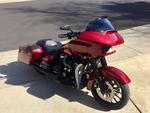
2015 Streetglide, stock head unit, Focal sport amp feeding 2 fairing speakers (CH-1/2) and 2 lids (CH-3/4)
I have the 2-plug ins going from the 2 fairing speaker connections and a separate one from the rear speaker connection going into the Focal amp
Amp is set for 4 channel
Head unit is flashed for 0 amps 4 speakers
I can not adjust the fade on the head unit
what is strange is something the fade bar will move on its own front or back if I make an adjustment as I tweek the gains or unplug a connector
Riding over the weekend - every time I shut the bike down and restarted it after a stop - the fade changed positions on it's own - one time full F, another time full R - other times randomly it was somewhere between the two
Must be some gremlin in the head unit so I''m going back to a set of Y-spliter off the front channels and disconnecting the rear channel plug unless someone has a clue
Can you tell me how to do a master reset & does it change any of the HD updates - will it change the 135 bin audio file I have?
From a older thread;
From Biketronics:
Performing a Rushmore Radio Reset: First make sure the bike is not flashed for a stock HD amplifier. This can be confirmed by ensuring one or both the fader control and the avc control are active. If your bike came with a stock HD amplifier you will have to have the shop set up the bike for zero amps, 4 speakers upper fairing/rear pods. (Note: Owners on bikes that came without stock amp(s) should benefit from this reset procedure without having to have the shop flash the radio for zero amps.) 1. Remove anything plugged into the radios USB port. 2. Keep any Bluetooth device away from the unit to avoid paring during procedure. IMPORTANT! - Be sure bikes on/off switch is off for at least one minute before following this procedure. 3. Turn “run/kill” switch to “run” position. 4. Depress power/mute button on front of radio and turn ignition switch to “on” position. (CONTINUE TO HOLD IN THE POWER BUTTON UNTIL AFTER YOU DISMISS THE “ACCEPT” SCREEN.) Note: on 4.2 radios use joystick to perform accept. Radio should now be showing ‘Service Menu’. 5. Scroll down to menu pick “RESET.” Select RESET. 6. From the list of reset menu picks, select “Pre Calib. Reset”. You will be asked to confirm your reset choice as: “Restore factory defaults.” Select Yes. 7. Radio will perform reset and reboot. After the reboot and “Accept”, turn off the radio for at least one minute. 8. Power up the radio and enjoy!
7 Surprising Harley-Davidson Products that Are Not Motorcycles
Slideshow: The bar-and-shield logo shows up on far more than motorcycles, some of the company's most unexpected products have nothing to do with riding.
Slideshow: From the troubled AMF years to modern misfires, these bikes earned reputations for reliability issues, questionable engineering, or disappointing performance.
Crazy Bunderbike Build Looks Amazing, But Is It Impossible to Ride?
Slideshow: The Swiss custom shop has taken a Harley Softail and stretched it into something so long and low that it looks closer to a rolling sculpture than a conventional motorcycle.
Engraved Rebellion: Inside Bundnerbike's Glam Rock II
Slideshow: A standard cruiser becomes an intricate metal canvas in the hands of a Swiss custom house known for pushing Harley-Davidson platforms far beyond their factory brief.
Slideshow: Harley-Davidson's challenges aren't abstract; they show up in dropping shipments, shrinking dealer traffic, and strategic decisions that aren't yet translating into growth.







 Fade not working