




 Feb 13, 2015, 01:41 PM
Last edit by: IB Advertising
Everything Breakout! Find out everything you need to know! Some topics include:
• Customizing you bike
• Seats
• Risers
• And much more!
For more information check out these threads:More Threads
• Customizing you bike
• Seats
• Risers
• And much more!
For more information check out these threads:More Threads

The Everything Breakout Thread

Stellar HDF Member


Joined: Feb 2014
Posts: 2,710
Likes: 529
From: Lethbridge, Alberta Canada

Can anyone on here clarify- Is the proper way to get into Setup mode (to do these color adjustments) with the CVO speedo to hold down the "trip" button while turning the switch to "Accessory"?
I had my speedo replaced with the HD digital speedo before I ever brought it home, and can't for the life of me get it into setup mode (and I don't have the instructions that came with it). I've read somewhere that it's possible that there's a bent "accessory pin #6"- but that seems unlikely that one pin would be bent, as everything else on this unit works flawlessly (but it's possible)- so can you guys confirm that this is the correct way to get it into setup mode to adjust the colors?
It does go into some sort of "Diag" mode when I hold down "trip", and turn past ACCY to "ON" where all of the colors display for a few seconds...
Am I doing something wrong?
I had my speedo replaced with the HD digital speedo before I ever brought it home, and can't for the life of me get it into setup mode (and I don't have the instructions that came with it). I've read somewhere that it's possible that there's a bent "accessory pin #6"- but that seems unlikely that one pin would be bent, as everything else on this unit works flawlessly (but it's possible)- so can you guys confirm that this is the correct way to get it into setup mode to adjust the colors?
It does go into some sort of "Diag" mode when I hold down "trip", and turn past ACCY to "ON" where all of the colors display for a few seconds...
Am I doing something wrong?
- The instructions for it are availbale in pdf format online, at the HD website that describes the product, under the tab that is labeled "More information"
- The instructions do not make clear that the programmining only works in SOME display modes. It did not work for me when I had the "Gear - rpm" or the odometer reading displaying, but worked fine when I clicked the display over to one of the other display screens. They should have mentioned this but did not
- You have to have the ignition in the "Ignition On" position as I recall, NOT in the "accessory" position
- You basically get to the screen that shows what you want to change, for example, "clock", or "color", by using the TRIP button, and then do everything to make changes using only 2 buttons: the lefthand turn signal and the righthand turn signal. You HOLD down the left turndignal button to tell the system you want to make a change. The system starts flashing the first digit of the display. You click (not hold) the left turn signal button once to increment that first digit by '1". You click it again and again until it is what you want. Then, when it is the "desired" digit, you click the RIGHThand turn signal. Now the system stops flashing that first digit, and starts flashing the 2nd digit. You increment that 2nd digit upward 1 at a time by using the LEFThand turn signal button, until it is where you want it to be. Click the righthand button to accept it. Repeat for 3rd, 4th, etc digits as required for whatever individual display screen you are working on. Then, finally, there is an instruction to tell the system you are "finished" making changes, and I cannot recall what it is now, but it is in the instructions. (MIGHT be as simple as turning ignition to "off").
There is a chart in the instructions that shows you the "digits range" for each color. For example, I think I recall that "red" shades are all in the "500" series. Which means that you would eneter am code that is "500" and then increment each of the "zeros" ONLY until you have the specific shade of "red" that you like.
Jim G

Cruiser
Joined: Nov 2013
Posts: 179
Likes: 2
From: Maryland
I retroactively installed that same tach-speedo combination onto my non-CVO breakouit a few days ago. A few pointers:
- The instructions for it are availbale in pdf format online, at the HD website that describes the product, under the tab that is labeled "More information"
- The instructions do not make clear that the programmining only works in SOME display modes. It did not work for me when I had the "Gear - rpm" or the odometer reading displaying, but worked fine when I clicked the display over to one of the other display screens. They should have mentioned this but did not
- You have to have the ignition in the "Ignition On" position as I recall, NOT in the "accessory" position
- You basically get to the screen that shows what you want to change, for example, "clock", or "color", by using the TRIP button, and then do everything to make changes using only 2 buttons: the lefthand turn signal and the righthand turn signal. You HOLD down the left turndignal button to tell the system you want to make a change. The system starts flashing the first digit of the display. You click (not hold) the left turn signal button once to increment that first digit by '1". You click it again and again until it is what you want. Then, when it is the "desired" digit, you click the RIGHThand turn signal. Now the system stops flashing that first digit, and starts flashing the 2nd digit. You increment that 2nd digit upward 1 at a time by using the LEFThand turn signal button, until it is where you want it to be. Click the righthand button to accept it. Repeat for 3rd, 4th, etc digits as required for whatever individual display screen you are working on. Then, finally, there is an instruction to tell the system you are "finished" making changes, and I cannot recall what it is now, but it is in the instructions. (MIGHT be as simple as turning ignition to "off").
There is a chart in the instructions that shows you the "digits range" for each color. For example, I think I recall that "red" shades are all in the "500" series. Which means that you would eneter am code that is "500" and then increment each of the "zeros" ONLY until you have the specific shade of "red" that you like.
Jim G
- The instructions for it are availbale in pdf format online, at the HD website that describes the product, under the tab that is labeled "More information"
- The instructions do not make clear that the programmining only works in SOME display modes. It did not work for me when I had the "Gear - rpm" or the odometer reading displaying, but worked fine when I clicked the display over to one of the other display screens. They should have mentioned this but did not
- You have to have the ignition in the "Ignition On" position as I recall, NOT in the "accessory" position
- You basically get to the screen that shows what you want to change, for example, "clock", or "color", by using the TRIP button, and then do everything to make changes using only 2 buttons: the lefthand turn signal and the righthand turn signal. You HOLD down the left turndignal button to tell the system you want to make a change. The system starts flashing the first digit of the display. You click (not hold) the left turn signal button once to increment that first digit by '1". You click it again and again until it is what you want. Then, when it is the "desired" digit, you click the RIGHThand turn signal. Now the system stops flashing that first digit, and starts flashing the 2nd digit. You increment that 2nd digit upward 1 at a time by using the LEFThand turn signal button, until it is where you want it to be. Click the righthand button to accept it. Repeat for 3rd, 4th, etc digits as required for whatever individual display screen you are working on. Then, finally, there is an instruction to tell the system you are "finished" making changes, and I cannot recall what it is now, but it is in the instructions. (MIGHT be as simple as turning ignition to "off").
There is a chart in the instructions that shows you the "digits range" for each color. For example, I think I recall that "red" shades are all in the "500" series. Which means that you would eneter am code that is "500" and then increment each of the "zeros" ONLY until you have the specific shade of "red" that you like.
Jim G
Stellar HDF Member
Joined: Feb 2014
Posts: 2,710
Likes: 529
From: Lethbridge, Alberta Canada
Thanks for all of the good info guys- I see my mistake: I thought I had part number 70900274 when in fact it's 70900100B, and the instruction manual that I pulled down mentioned nothing about programming with the right and left turn signals- This should clear everything up- thanks again.
Just remember "B" for breakout in the part number.

Jim G

6th Gear
Joined: Aug 2013
Posts: 11
Likes: 0
From: Northwest Indiana
Breakout shifter/ pegs
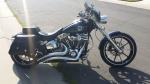
You guys that replaced the stock offset pegs, did you adjust the shifter at all? Is this even possible? Also, was it necessary to adjust the shifter for a more comfortable riding position? I am sure it is, it looks like it is just a matter of loosening a screw, but wanted to make sure.
Cruiser
Joined: Dec 2013
Posts: 112
Likes: 0
From: Denver CO
You guys that replaced the stock offset pegs, did you adjust the shifter at all? Is this even possible? Also, was it necessary to adjust the shifter for a more comfortable riding position? I am sure it is, it looks like it is just a matter of loosening a screw, but wanted to make sure.
Cruiser
Joined: Nov 2013
Posts: 179
Likes: 2
From: Maryland
You guys that replaced the stock offset pegs, did you adjust the shifter at all? Is this even possible? Also, was it necessary to adjust the shifter for a more comfortable riding position? I am sure it is, it looks like it is just a matter of loosening a screw, but wanted to make sure.

2nd Gear
Joined: Feb 2014
Posts: 6
Likes: 0
From: Virginia
Deep Creek Lowering kit vs Shotgun Shocks
Sorry for thread jacking. Just got a 2014 breakout. I noticed someone posted this link: http://www.deadcreekcycles.com/No-Sh...Kit_p_704.html
Can someone explain, other than the obvious cost difference, what the pros and cons are to using a lowering kit instead of Shotgun shocks to lower a bike. Thanks for your time. Sorry again for the threadjacking.
Can someone explain, other than the obvious cost difference, what the pros and cons are to using a lowering kit instead of Shotgun shocks to lower a bike. Thanks for your time. Sorry again for the threadjacking.
Thread Starter
|
Elite HDF Member
Joined: Apr 2012
Posts: 3,986
Likes: 709
From: San Diego
That isn't a thread jack. You have a Breakout and this thread is called The Everything Breakout Thread.
The ShotgunShock will allow you to adjust the ride height and firmness at any time with the flick of a switch. From very high, to very low and everywhere in between.
The lowering kits are just reducing the amount that the factory shocks can travel. Because of the reduced travel you will need to stiffen the shocks by adjusting the preload. This will make the ride very firm all the time.
So, you can spend a little money and look cool but ride stiff, or spend more money and look cool when you want, and ride smooth when you don't care.
That is essentially the difference between air ride and non air ride.
The ShotgunShock will allow you to adjust the ride height and firmness at any time with the flick of a switch. From very high, to very low and everywhere in between.
The lowering kits are just reducing the amount that the factory shocks can travel. Because of the reduced travel you will need to stiffen the shocks by adjusting the preload. This will make the ride very firm all the time.
So, you can spend a little money and look cool but ride stiff, or spend more money and look cool when you want, and ride smooth when you don't care.
That is essentially the difference between air ride and non air ride.
HD Forum Stories
The Best of Harley-Davidson for Lifelong Riders

7 Surprising Harley-Davidson Products that Are Not Motorcycles
Verdad Gallardo
8 Best Harley-Davidson Motorcycles Ever
Pouria Savadkouei
10 Worst Harley-Davidson Motorcycles Ever
Pouria Savadkouei
Killer Custom's Jail Break Is The Breakout That Refused to Blend In
Verdad Gallardo
Crazy Bunderbike Build Looks Amazing, But Is It Impossible to Ride?
Verdad Gallardo
Harley-Davidson Reveals Super Cool Cafe Racer Concept
Verdad Gallardo
Engraved Rebellion: Inside Bundnerbike's Glam Rock II
Verdad Gallardo
10 Motorcycles You Should Never Buy
Joe Kucinski


