



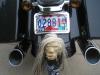



My iPhone setup on my 2011 FLHX

Former Sponsor
Joined: Sep 2005
Posts: 416
Likes: 3

Hi guys. Have been following some of your work here, getting your iphones on your bikes. Here's a nice-looking, EASY way to do it (and parts made in USA): http://www.leadermotorcycle.com/CTGY/iphone.html
Road Master
Joined: Mar 2010
Posts: 943
Likes: 41
I like it. I have windshield bags so I cant mount at that location. For now I mount mine to the bars using my otterbox belt clip. Seems to hold it nicely. It's sloppy, but when I need to charge it I just run the wire to my cig lighter.
Are you just running a wire from the headphone jack to the acc port in the front of the stereo? or do you have it wired into the back of the stereo somehow?
Are you just running a wire from the headphone jack to the acc port in the front of the stereo? or do you have it wired into the back of the stereo somehow?

Novice
Joined: Apr 2012
Posts: 17
Likes: 0
From: mass
Iphone to radio
I HAVE A 2012 FLHX. I WANT TO HOOK MY IPHONE UP TO MY RADIO.I'VE READ ALLTHE FORUMS AND SOME SAY YOU CAN HOOK IPHONE UP TO RADIO AND SOME SAY YOU CAN'T.I BOUGHT THE CORD FROM RADIO SHACK PART# 42-223 it still doesn't work.WHAT I'AM I MISSING?

Grand HDF Member


Joined: Oct 2010
Posts: 4,618
Likes: 290
From: Johnstown, PA
Do you have the radio set on AUX? Volume up on your iPhone? I am assuming you are connecting from the headphone jack on the phone to the AUX port on the radio.
If you are trying to hook the iPhone up to the HK Audio system on the bike to be an MP3 player, you're on the right track. Just plug that cable into your iPhone earbud jack and the other end into the aux input jack, crank the volume on the iPhone to max, and go to the "AUX" mode (which only shows up when you have a device connected to the external aux connector) hit "Play" on you iPhone music app and you should have music through the speakers or (on my Ultra) headset with the volume adjustable by the handlebar volume control. Only problem is, you cannot select songs, start, stop, rewind or fast forward except on the iPhone screen like you normally would. If you want all that, the adapter is sold by Harley http://www.harley-davidson.com/gma/g...bmLocale=en_US that wires into the back of the radio inside the fairing for a mere $399.95.
Neither will let you talk on your phone through the HK Audio system. Harley USED to offer a bluetooth hands-free module that mounted in the tourpack. It worked GREAT (yeah, I had one on my 07 UC) but the MoCo obsoleted it and I have only been able to locate ONE in the entire U.S. still available. That dealership wouldn't come off the price and wanted $499 for it even though it was obsolete and no longer carried or supported by HD.
J&M Audio has some pretty good setups and bluetooth configurable accessories but they too are VERY proud of their stuff.
If all you want to do is listen to your playlist or tunes library, you got what you need. I have an old Gen1 iTouch that I use for that purpose. I went one step further and got a 2-plug USB adapter that plugs into the cigarette lighter and I simply plug in my Apple cord into it to keep the iTouch charged.
You can also download the FREE MapQuest App for the iPhone, hook it up this way and get voice GPS directions through the speakers or helmet headsets. (I suggest a large or unlimited data plan as this method uses the cellular data to keep refreshing the mapquest app maps.) I don't bother with viewing the map screen display. I usually just carry the iPhone in a windshield bag. BUT...I warn you again...you MUST be in the AUX mode on your radio to hear the directions, which means you can't be jamming to the CD, AM/FM or WB and hear the directions.
HD Forum Stories
The Best of Harley-Davidson for Lifelong Riders

7 Surprising Harley-Davidson Products that Are Not Motorcycles
Verdad Gallardo
8 Best Harley-Davidson Motorcycles Ever
Pouria Savadkouei
10 Worst Harley-Davidson Motorcycles Ever
Pouria Savadkouei
Killer Custom's Jail Break Is The Breakout That Refused to Blend In
Verdad Gallardo
Crazy Bunderbike Build Looks Amazing, But Is It Impossible to Ride?
Verdad Gallardo
Harley-Davidson Reveals Super Cool Cafe Racer Concept
Verdad Gallardo
Engraved Rebellion: Inside Bundnerbike's Glam Rock II
Verdad Gallardo
10 Motorcycles You Should Never Buy
Joe Kucinski
10 Things Harley-Davidson Needs to Fix in 2026
Verdad Gallardo
Road Captain


Joined: Aug 2008
Posts: 514
Likes: 2
From: Visalia CA
Fellas,
I have been looking at some of the other threads about what guys have done and suggestions needed for mounting their smart phones and wiring them to their bikes, so here is what I did.
I used all Ram Mount components to mount the physical phone and I used an iSimple universal iPod/iPhone car wiring harness and add a 4 pin matching Doetsch connector (acc dash switch wiring harness located under the seat) to the positive and negative leads of the iSimple wiring harness.


I am using MotionX GPS Drive w/voice turn-by-turn. This app is flawless! Best thing about this app is that it has built iPod controls that can be viewed or hidden with a push of a button on the screen. Turn-by-turn is heard through the bikes speakers too and there is an option in this app to cut audio from the iPod while voice commands are given or play right over the audio.
Just thought I'd share with you guys. Let me know if you have any questions. All said and done it was about a 3 beer job.
-fish-
I have been looking at some of the other threads about what guys have done and suggestions needed for mounting their smart phones and wiring them to their bikes, so here is what I did.
I used all Ram Mount components to mount the physical phone and I used an iSimple universal iPod/iPhone car wiring harness and add a 4 pin matching Doetsch connector (acc dash switch wiring harness located under the seat) to the positive and negative leads of the iSimple wiring harness.
I am using MotionX GPS Drive w/voice turn-by-turn. This app is flawless! Best thing about this app is that it has built iPod controls that can be viewed or hidden with a push of a button on the screen. Turn-by-turn is heard through the bikes speakers too and there is an option in this app to cut audio from the iPod while voice commands are given or play right over the audio.
Just thought I'd share with you guys. Let me know if you have any questions. All said and done it was about a 3 beer job.
-fish-

Thread
Thread Starter
Forum
Replies
Last Post
