


Mac apple sound help?


 Mac apple sound help?
So can any road brothers help? Anyone APPLE savey???
I’ve got the iPhone4 an iTouchG4. Both have the last software 5.1 installed.
What I’m trying to do is get a single cable…that will feature - USB charging while plugged into a USB or 12v socket adapter such as Griffin as well has have the MAC/iDevice connector plugged into either one of the devices mentioned above to provide SOUND output. And the final part is a mini stereo output jack on the end so I can put the sound into an AUX input on a stereo head unit. At one end you have MAC connector…and the other end has USB wire and mini stereo jack too - a pigtale of sorts or 2 wires with these ends that meet up to the MAC Port connector. YES I have this cable…and have seen a few…BUT…here is the issue.
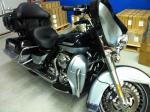
My 2006 UC has the Harmon Kardon stereo with AUX input jack on the front face as many know. In the past I’ve used both these iDevices with a simple 3 foot stereo headphone jack cable to connect the iDevices to this stereo AUX input. Yes the sound transfers…but it runs the power from the iDevice alone. Plus the cable looks cheap just hanging on my bike.
So I recently purchased from Best Buy’s installation center a cable that has the MAC connector on one end…with both USB connect on the other and the mini stereo jack as well. I spent time and split the faring and ran this nice heavy duty cable thru the faring area...as I have a iDevice handle bar mount on the left side...and the AUX port is on the right. Needless to say I'm happy and the install almost looks factory! Below left is the 12v supply so I run the USB end right to it as the other wire runs thru the left side faring out the right to find the AUX port. Actually pretty easy...
BUT when I connect it up…and the USB powers the iDevices fine and it charges these iDevices. BUT there is NO sound coming from the iDevices thru the mini stereo jack. The speaker on the iDevices are still working…and no sound comes thru the cable/jack. Note this is a new gen cable…so it has 3 bands or separations on the micro stereo jack side to transfer both audio channels and video too - I guess. I think this is the problem? The iDevice is sensing NO video connection since I’m connecting into an AUX that is audio only and thus NOT acting as the MAC connector is to send audio thru.
To add…I have an older 4gig iPod - really old...a first gen item. But when I connect up this iDevice to the same cable on my bike ALL WORKS! I get USB power as it charges this OLDER iDevice and the Harmon Kardon gets the sound thru the mini stereo jack and I can adjust the head unit volume and get sound fine. Of course the older gen iPod does not support video. Course some will say, just use the old iPod...but I'd like to be able to use my new stuff such as my iPhone since I have GPS on it as well as music...
So why don’t either NEW device work? I’ve tried 2 different cables from 2 different manufactures while at Best Buy…one is a Pioneer brand and this one that I have is from Kenwood.
So is there an APP that I can load onto my new iDevices that will force the audio OUT thru the MAC connector so I can get this to work?
I hate to have to run another cable from the headphone outputs on the iDevices to the stereo head unit. And then RUN another USB connector to plug into the MAC port on the iDevice. This new all in one cable should work right? It is designed to do what I am doing…that is plug in an iDevice…have it powered thru USB and provide output to a standalone unit via the micro stereo jack.
Note I have 2 older iHome units that work with all 3 of these devices…sound is transferred thru the MAC ports when I set them into place on these old iHome units. So I know sound can be sent thru the MAC port. I just can’t figure out how to get my new iDevices to work with this cable.
Any suggestions would be welcomed! THANKS! Was hoping that some one has done a mod like this and got it to work.
I’ve got the iPhone4 an iTouchG4. Both have the last software 5.1 installed.
What I’m trying to do is get a single cable…that will feature - USB charging while plugged into a USB or 12v socket adapter such as Griffin as well has have the MAC/iDevice connector plugged into either one of the devices mentioned above to provide SOUND output. And the final part is a mini stereo output jack on the end so I can put the sound into an AUX input on a stereo head unit. At one end you have MAC connector…and the other end has USB wire and mini stereo jack too - a pigtale of sorts or 2 wires with these ends that meet up to the MAC Port connector. YES I have this cable…and have seen a few…BUT…here is the issue.
My 2006 UC has the Harmon Kardon stereo with AUX input jack on the front face as many know. In the past I’ve used both these iDevices with a simple 3 foot stereo headphone jack cable to connect the iDevices to this stereo AUX input. Yes the sound transfers…but it runs the power from the iDevice alone. Plus the cable looks cheap just hanging on my bike.
So I recently purchased from Best Buy’s installation center a cable that has the MAC connector on one end…with both USB connect on the other and the mini stereo jack as well. I spent time and split the faring and ran this nice heavy duty cable thru the faring area...as I have a iDevice handle bar mount on the left side...and the AUX port is on the right. Needless to say I'm happy and the install almost looks factory! Below left is the 12v supply so I run the USB end right to it as the other wire runs thru the left side faring out the right to find the AUX port. Actually pretty easy...
BUT when I connect it up…and the USB powers the iDevices fine and it charges these iDevices. BUT there is NO sound coming from the iDevices thru the mini stereo jack. The speaker on the iDevices are still working…and no sound comes thru the cable/jack. Note this is a new gen cable…so it has 3 bands or separations on the micro stereo jack side to transfer both audio channels and video too - I guess. I think this is the problem? The iDevice is sensing NO video connection since I’m connecting into an AUX that is audio only and thus NOT acting as the MAC connector is to send audio thru.
To add…I have an older 4gig iPod - really old...a first gen item. But when I connect up this iDevice to the same cable on my bike ALL WORKS! I get USB power as it charges this OLDER iDevice and the Harmon Kardon gets the sound thru the mini stereo jack and I can adjust the head unit volume and get sound fine. Of course the older gen iPod does not support video. Course some will say, just use the old iPod...but I'd like to be able to use my new stuff such as my iPhone since I have GPS on it as well as music...
So why don’t either NEW device work? I’ve tried 2 different cables from 2 different manufactures while at Best Buy…one is a Pioneer brand and this one that I have is from Kenwood.
So is there an APP that I can load onto my new iDevices that will force the audio OUT thru the MAC connector so I can get this to work?
I hate to have to run another cable from the headphone outputs on the iDevices to the stereo head unit. And then RUN another USB connector to plug into the MAC port on the iDevice. This new all in one cable should work right? It is designed to do what I am doing…that is plug in an iDevice…have it powered thru USB and provide output to a standalone unit via the micro stereo jack.
Note I have 2 older iHome units that work with all 3 of these devices…sound is transferred thru the MAC ports when I set them into place on these old iHome units. So I know sound can be sent thru the MAC port. I just can’t figure out how to get my new iDevices to work with this cable.
Any suggestions would be welcomed! THANKS! Was hoping that some one has done a mod like this and got it to work.
Last edited by GMRO; Mar 20, 2012 at 08:23 AM.

Tourer
Joined: Jun 2006
Posts: 372
Likes: 0
From: Austin Tx
What did you plug the USB into? I'd assume a cigarette lighter adaptor. A lot of vehicles produced in the last 2-3 years have an aux in plug similar to whats on the Harley. You might test the cable with a vehicle equipped with the aux plug to rule wiring harness.

This is probably a dumb question but is your I-phone in a cover or case? If so is the hole over the jack big enough to let the Mini jack fully seat? Pretty common occurrence over in the Mac forums believe it or not. Lots of earbuds will not work with some covers as they are.
Last edited by Just Dave; Mar 20, 2012 at 09:25 AM.
Intermediate
Joined: Sep 2011
Posts: 33
Likes: 0
From: Chicago
My money is on the plug not going all the way into the idevice also. Had the same problem with a high end ear bud set. No sound. Ended up using a razor to cut about 1/8" off the plastic shielding at the end which allowed it to go all the way in. The rings nor video have nothing to do with your issue.

Tourer


Joined: Jun 2011
Posts: 280
Likes: 4
From: MN
My money is on the plug not going all the way into the idevice also. Had the same problem with a high end ear bud set. No sound. Ended up using a razor to cut about 1/8" off the plastic shielding at the end which allowed it to go all the way in. The rings nor video have nothing to do with your issue.
Sorry for the confusion.
I did not try cable before installing into faring. But yesterday at Best Buy I had the guy OPEN 2 new other cables that we tried right there in the garage. Neither worked…another Kenwood, what I have now installed, and a pioneer version of the cable too. Both have the MAC Port connector on the end to connect to the iDevices…and on the other side you have 2 cords – one is USB connector and the other is a VIDEO/AUDIO stereo mini jack. Not the RCA…this is a mini jack that has all 3 outputs…video/and 2 audio channels. Sony uses this a lot in their handycam products. NONE of these cables worked with the new iDevices I have. The old iPod worked still on all of them. Unless ALL these new cables have the MAC connector not pressing/seating in all the way…this is why I think the video portion is messing up the deal. BUT I could be wrong… Again we hear the BEEP sound for the charging to work…as long as the USB is connected to the cigarette lighter port on the bike that is with a Griffin adapter. Yes that part is working great!
Both iTouch and iPhone are out of any case – they are naked. So MAC/PORT connector is seated as far as it can go less any mods. The guy at Best Buy even tried his iPhone4S and it did not work either. We heard the music thru the iPhones speaker only. ALL devices make the charger BEEP sound when we connect up the MAC connector to this cord so I think it’s in all the way. BUT I may see if I can trim a little of the plastic MAC connector to allow it further into iDevices that I cannot get to work.
Keep in mind the OLD NANO iPod is working with this rig/set up. SO MAC connector is fitting all the way into this old device. And it is allowing the sound to go to the HD radio thru the mini stereo jack as I think it should. To me this proves the cable is not damaged.
Sorry...forget I can post links...
I have this installed.
http://www.bestbuy.com/site/Kenwood+...213&st=kenwood ipod cable&cp=1&lp=1
And it only is working with the older iPod nano 4g unit.
THAT IS until a buddy at work today lent me this:
http://www.theistore.com/ijet-rf-rem...dock-connector
I put this between the iTouchG4 unit that I could not get to work with my cable shown above and IT WORKED! We checked the cable and see it is seated the same way in both this iJet thing as well as the iTouchG4 directly. Can't tell what is going on. But at least it proves the cable will work. Now I may need to purchase the silly iJet thing. OR???
I have no clue...what to do now.
I did not try cable before installing into faring. But yesterday at Best Buy I had the guy OPEN 2 new other cables that we tried right there in the garage. Neither worked…another Kenwood, what I have now installed, and a pioneer version of the cable too. Both have the MAC Port connector on the end to connect to the iDevices…and on the other side you have 2 cords – one is USB connector and the other is a VIDEO/AUDIO stereo mini jack. Not the RCA…this is a mini jack that has all 3 outputs…video/and 2 audio channels. Sony uses this a lot in their handycam products. NONE of these cables worked with the new iDevices I have. The old iPod worked still on all of them. Unless ALL these new cables have the MAC connector not pressing/seating in all the way…this is why I think the video portion is messing up the deal. BUT I could be wrong… Again we hear the BEEP sound for the charging to work…as long as the USB is connected to the cigarette lighter port on the bike that is with a Griffin adapter. Yes that part is working great!
Both iTouch and iPhone are out of any case – they are naked. So MAC/PORT connector is seated as far as it can go less any mods. The guy at Best Buy even tried his iPhone4S and it did not work either. We heard the music thru the iPhones speaker only. ALL devices make the charger BEEP sound when we connect up the MAC connector to this cord so I think it’s in all the way. BUT I may see if I can trim a little of the plastic MAC connector to allow it further into iDevices that I cannot get to work.
Keep in mind the OLD NANO iPod is working with this rig/set up. SO MAC connector is fitting all the way into this old device. And it is allowing the sound to go to the HD radio thru the mini stereo jack as I think it should. To me this proves the cable is not damaged.
Sorry...forget I can post links...
I have this installed.
http://www.bestbuy.com/site/Kenwood+...213&st=kenwood ipod cable&cp=1&lp=1
And it only is working with the older iPod nano 4g unit.
THAT IS until a buddy at work today lent me this:
http://www.theistore.com/ijet-rf-rem...dock-connector
I put this between the iTouchG4 unit that I could not get to work with my cable shown above and IT WORKED! We checked the cable and see it is seated the same way in both this iJet thing as well as the iTouchG4 directly. Can't tell what is going on. But at least it proves the cable will work. Now I may need to purchase the silly iJet thing. OR???
I have no clue...what to do now.
Last edited by GMRO; Mar 20, 2012 at 01:11 PM.

Thread
Thread Starter
Forum
Replies
Last Post
MeanMorningJoe
Touring Models
0
Jun 4, 2009 05:47 PM










