


Speaker Switch on Road Glide


Thread Starter
|
Cruiser
Joined: Apr 2007
Posts: 100
Likes: 0
 Speaker Switch on Road Glide
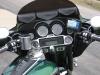
Anyone have an idea why the speaker switch is on the Road glide. I have the electrical diagnostic manual, it shows headset A, headset B, Assy enable, and I think Gd going to the switch. I have heard that this is for a tour pak if installed. All I want to do is to get audio out from the radio to input to my Nady bike to bike comm. Radio doesn't have audio out so I thought maybe I could get it from connector 27A on the radio, pins 13 and 21. Anyone have ideas.??????



Outstanding HDF Member
Joined: Jul 2007
Posts: 2,004
Likes: 12
From: Parkton, Maryland
RE: Speaker Switch on Road Glide
On my Ultra here is what the switch does
Forward position: CB, Intercom and Radio comes thru the helmet
Center Position: CB and Intercom thru the helmet,,Radio thru speakers
Rear Position: Intercom thru helmet,,Radio and CB thru Speakers
Forward position: CB, Intercom and Radio comes thru the helmet
Center Position: CB and Intercom thru the helmet,,Radio thru speakers
Rear Position: Intercom thru helmet,,Radio and CB thru Speakers
Road Master
Joined: Sep 2006
Posts: 991
Likes: 0
From:
RE: Speaker Switch on Road Glide
ORIGINAL: sugarbear
I am assuming it is the same switch on ultras One position is for front speakers the next for front and rear if equipped and the next for headset
I am assuming it is the same switch on ultras One position is for front speakers the next for front and rear if equipped and the next for headset
"Headset A"All the way forward (no light) Everything through the headsets (Radio, CB, Intercom)
"Headset B"Middle (light on) Radio through speakers,CB and Intercom through headsets
"Assy Enable"All the way back (light on) Radio andCB through speakers, Intercom through headsets.
GND is for the ground wire for the little ight in switch
Your Intercom Audio will only work through the headset speakers to maintain privacy.
Speaker Fading (front to rear) is done through the softkeys on the radio, or by using the left volume switch on the handlebar. (Push in till it goes to fading screen on radio, then up or down to move the audio front to rear.)
To the original question of the thread.
The "Speaker" switch on the fairing cap does not have audio signals attached to it, it is connected to the radio control circuits (follow the wires back through the wires from the switch, then through the "interconnect harness" and you will seee they only go to the radio and not the speakers)
To enable the rear speakers when installing a tourpak and then installing rear speaker PODs, you will have to have the Dealerturn them on through the radio by flash downloading the ECM. (The Ultra is the ONLY model that comes with the rear speakers, factory enabled. in the HK Radio)
So tapping on to any of the wires there will not get done what you want.

Thread
Thread Starter
Forum
Replies
Last Post










